
Custom Add-Ons
8Designed and developed in-house — only available through High Point GPS.
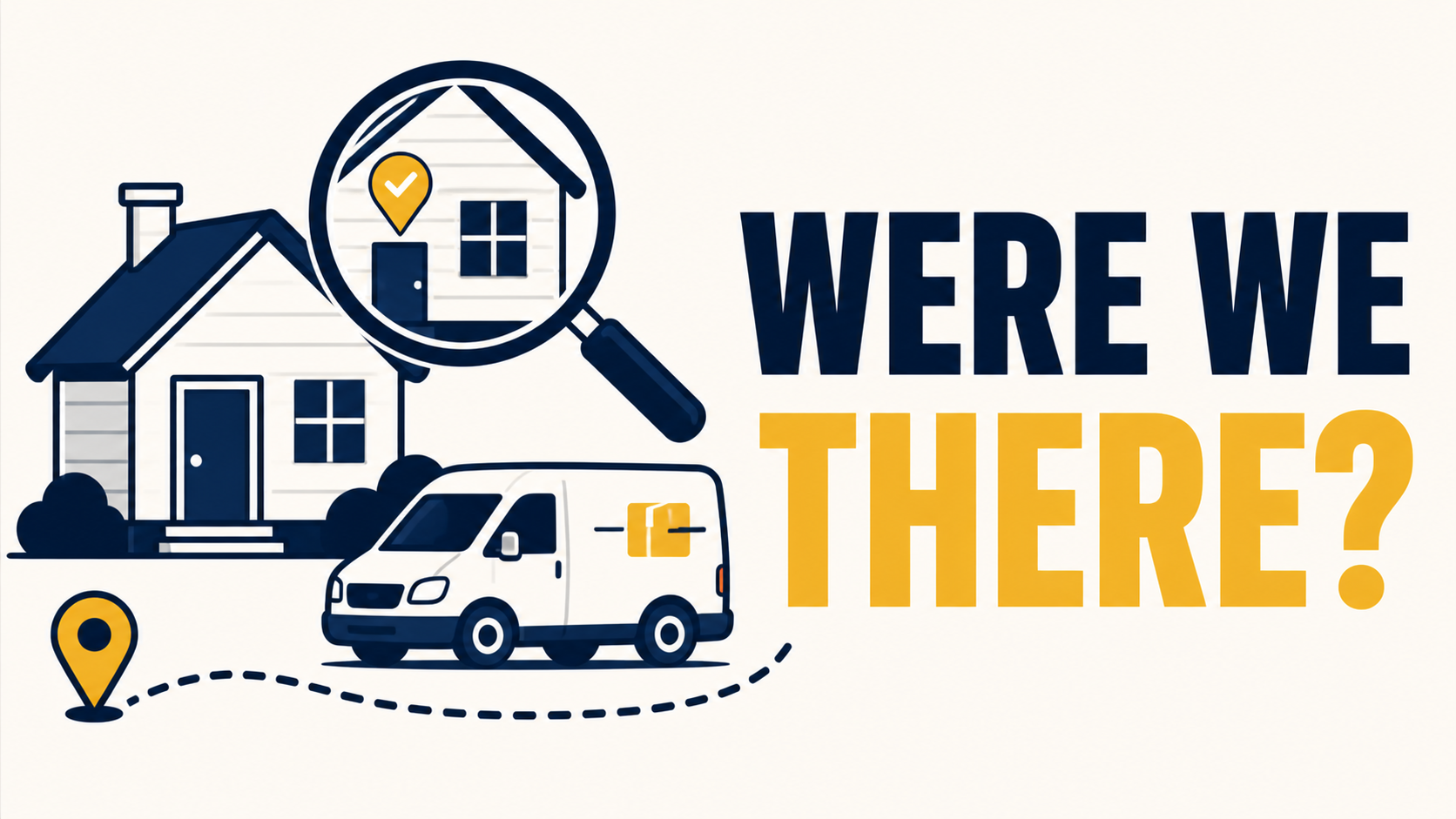
Address Pass Finder - "Did We Pass That House Tuesday Morning?", Answered in 30 Seconds
Resolving Address-Specific Inquiries in Public Service Operations
Address Pass Finder Resolving Address-Specific Inquiries in Public Service Operations Industry: School district transportation A school district transportation operation regularly received inquiries from parents and residents regarding whether a specific bus had passed a specific address at a specific time, typically related to missed pickups, route concerns, or community complaints. Standard tools support vehicle-centric queries (where did this vehicle go), but address-centric queries (which vehicles passed this location) required manual GPS history review, often taking 15 to 20 minutes per inquiry. Response times were inconsistent and the process did not scale. The Solution We deployed Address Pass Finder, which inverts the standard query model. The dispatcher enters an address and a time window; the add-in returns all fleet vehicles that passed within proximity during that window, with timestamps and pass-by speed. A typical inquiry, "did our bus pass this address this morning between 7:45 and 8:15?", is now resolved in under thirty seconds. In one early instance, the tool confirmed that the bus had in fact driven past a complainant's stop without stopping, indicating a missed pickup rather than a routing error. The dispatcher was able to identify the cause (a driver paperwork discrepancy), respond to the parent within minutes, and address the underlying process issue with the driver the same day. The use case extended beyond missed pickups: speed complaints from residents, delivery disputes, and incident investigations are all handled through the same workflow. Where This Applies Address Pass Finder is most relevant for fleets that: Operate in public-facing roles where address-level inquiries are routine (school transport, municipal services, delivery) Need defensible historical records for liability or community-relations purposes Resolve customer or resident disputes that require location-specific verification Conduct incident investigations where proximity to a known location is material The core value is the inversion from vehicle-centric to location-centric search, the ability to ask "who was here?" rather than "where did this vehicle go?"
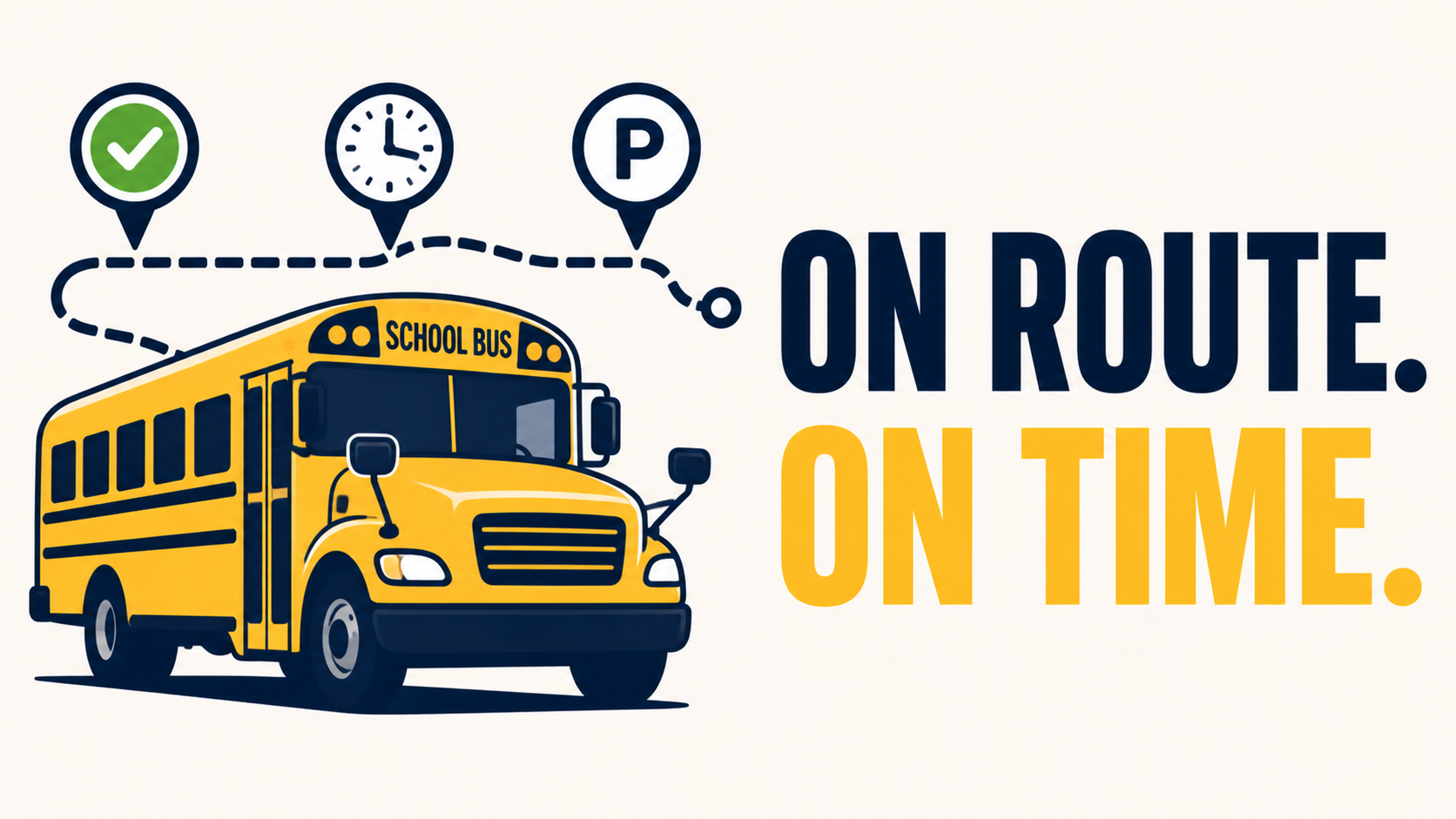
Bus Route Progress - See Which Buses Are On Route, Late, or Parked - In One Glance
Define each route's time window, watch them in and out of zones live
Route Progress for School Routes Improving Schedule Visibility for a District Transportation Operation Industry: Public school district transportation A school district transportation operation managing several dozen routes received a high volume of inquiry calls during afternoon dismissal, primarily from parents and school administrators seeking the status of specific buses. Each call required the dispatcher to manually locate the vehicle, cross-reference its expected schedule, and provide a verbal estimate. The process was reactive, time-consuming, and difficult to scale during peak hours. The Solution We deployed Route Progress for School Routes to provide structured live visibility. Each route was configured with its expected time window, start, in-progress, and depot-return milestones, along with geofenced zones at key checkpoints. The dashboard displays current status for every route at a glance: in-progress, ahead of schedule, behind schedule, or completed. During the first afternoon dismissal cycle, the dispatcher was able to identify a route running behind schedule due to a localized traffic delay and proactively notify the affected school office before parent calls arrived. This pattern continued: school offices received status updates in advance of inquiries, and were able to relay accurate information to parents directly. Within two months, inbound parent calls during dismissal hours decreased substantially. End-of-month route compliance reporting, exported from the dashboard to Excel, was provided to district leadership, establishing a baseline for ongoing performance review. Where This Applies Route Progress for School Routes is most relevant for fleets that: Operate schedule-bound routes (school transport, scheduled delivery, sanitation) Report compliance metrics to a board, district, or government body Field regular inquiries about driver or vehicle status from external stakeholders Need historical route-adherence data for performance review For tracking school bus route compliance. Define time-based routes with zone assignments, monitor live vehicle positions (in/out of zone), and generate historical reports with Excel export. Built for fleet managers to ensure vehicles meet scheduled route windows. The core value is replacing reactive, per-call status lookup with proactive schedule visibility and exportable compliance reporting.
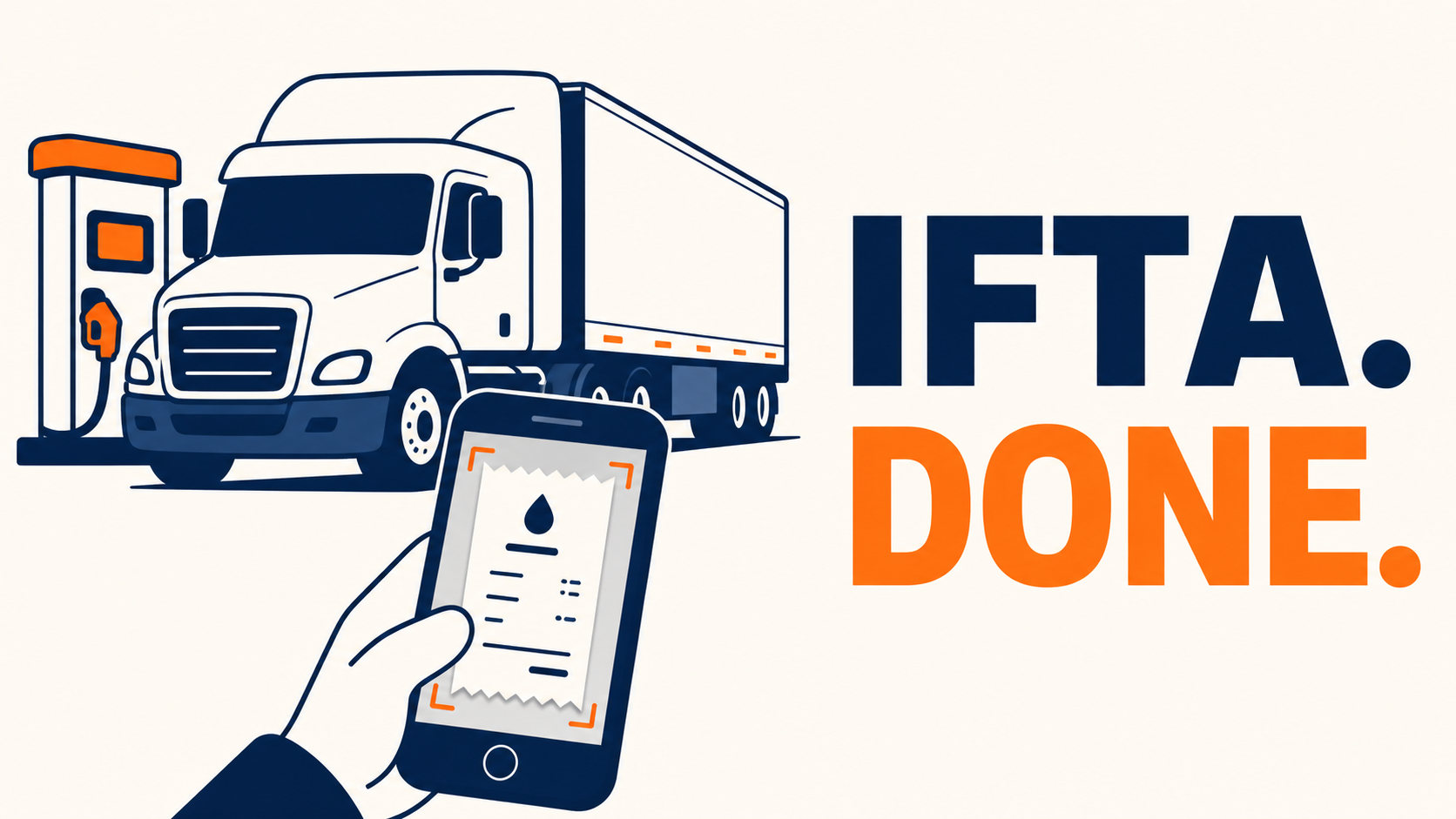
Fuel Receipt Capture- Make Fuel Receipts Painless, and Catch Cost-per-KM While You're At It
Photo the receipt, the rest auto-fills, and you export quarter-ready IFTA data in one click
Fuel Receipt Capture Recovering From a Multi-Year Fuel Audit Industry: Regional trucking, cross-border operations A mid-sized trucking client received a routine IFTA audit notice that included a request for a specific fuel receipt from over two years prior. Despite organized quarterly filings, the original physical receipt could not be located, it had either faded from thermal-paper degradation or been damaged in long-term storage. The audit closed with a "documentation deficient" notation. Within weeks, the client's insurance broker flagged the audit history as a risk factor, leading to an upward adjustment in their premium at renewal. The Solution We deployed Fuel Receipt Capture across the fleet. The workflow is fully automated at the point of purchase: at the pump, drivers open our add-on and photograph the receipt. The system reads the receipt automatically and populates every field, fuel volume, total cost, station, transaction time, without manual entry. Vehicle ID, GPS location, and odometer reading are pulled from the the tracking device. The complete record, including the receipt image and all extracted data, is stored and remains searchable indefinitely by date, vehicle, driver, location, or amount. Six months after deployment, the same client received a spot-check from a different auditor. The requested receipt was retrieved, downloaded, and emailed in under 15 minutes. A secondary benefit became apparent during the first quarter of use: cost-per-kilometre is calculated automatically from the captured data, surfacing fuel-spend outliers at the vehicle level. This identified a pattern of unnecessarily frequent fuel stops on one unit, which was addressed through driver coaching. Where This Applies Fuel Receipt Capture is most relevant for fleets that: File IFTA across multiple jurisdictions Are subject to DOT, tax, or insurance audits requiring multi-year recordkeeping Manage fuel without a comprehensive fuel-card data feed Need defensible documentation that survives long retention periods The core value is converting a perishable physical record into a permanent, fully digitized one at the moment of purchase, with no manual data entry, eliminating both the storage risk of paper and the input error risk of typed entry.
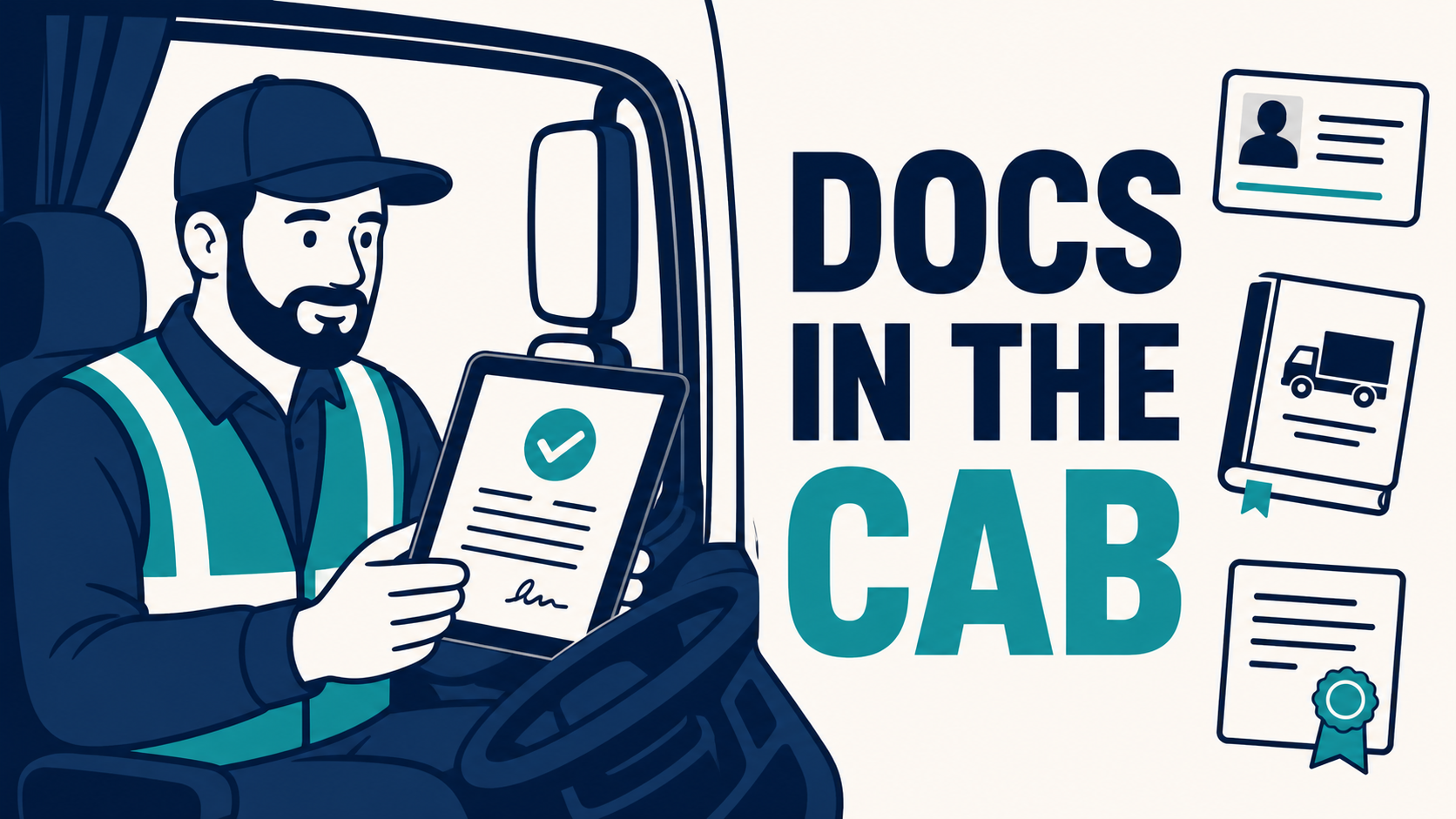
GeoDocs - Every License, Policy, SOP, and Manual. One Tap Away in the Cab
Centralized document management Managers and Drivers, with expiry reminders, and offline access
GeoDocs Centralizing Fleet Documentation for Daily Operations Industry: Utility contractor, mid-sized vehicle fleet A utility services client managed fleet documentation across a mix of paper binders, individual email accounts, and shared folders. The structure created friction in several recurring scenarios. Drivers reassigned to a different vehicle mid-shift had to return to the depot to collect the new vehicle's registration, insurance certificate, and inspection records before resuming work. At customer sites, drivers requesting a signed proof of delivery relied on printed forms that were often missing, damaged, or filed inconsistently after collection. When client documents were updated, insurance certificates, safety policies, equipment manuals, the latest version did not always reach the driver in time, leading to outdated paperwork being presented during inspections and audits. The cumulative cost was operational rather than dramatic: time lost per shift, inconsistent documentation in the field, and recurring exposure during audits and inspections. The Solution We deployed GeoDocs across the fleet's MyGeotab environment. All vehicle documents, registrations, insurance certificates, inspection records, manuals, were uploaded to a single governed repository and assigned by vehicle. All driver-facing documents, SOPs, safety policies, training materials, proof-of-delivery forms, were uploaded and assigned by driver role. Expiry reminders were configured for time-sensitive items. The operational changes followed immediately: Vehicle reassignment. A driver switching to a different vehicle no longer returns to the depot. Opening Geotab Drive on their phone, they have access to that vehicle's complete document set, the registration in the glovebox is no longer the source of truth, the digital record is. At-stop documentation. Drivers retrieve any required document on demand, equipment manuals during a repair, safety procedures before entering a site, regulatory documents during a roadside inspection, without searching through binders or calling dispatch. Documents can be viewed in-app or downloaded to the device for offline access in low-coverage areas. Proof of delivery. At customer sites, drivers present a delivery confirmation form on the phone and capture the customer's signature directly in Geotab Drive. The signed record is timestamped, GPS-tagged, and stored in the fleet's MyGeotab environment automatically. Document version control. When a document is updated centrally, a new insurance certificate, a revised safety policy, every assigned driver receives the current version on their next app open. Read receipts confirm acknowledgement, and outdated copies are removed from circulation. Subsequent audits and inspections have been handled in significantly compressed timeframes, but the more material change has been the elimination of paper-related friction from daily operations. Where This Applies GeoDocs is most relevant for fleets that: Operate in regulated industries (utilities, transportation, hazmat, school transport) Frequently reassign drivers across vehicles within a shift or week Capture customer signatures or proof of delivery as part of standard operations Manage documents that update regularly (certificates, policies, manuals) Are subject to roadside, site, or scheduled compliance inspections The core value is replacing paper and folder-based documentation with a centrally managed, role-assigned digital repository — accessible at the point of work, on the driver's phone, online or offline.
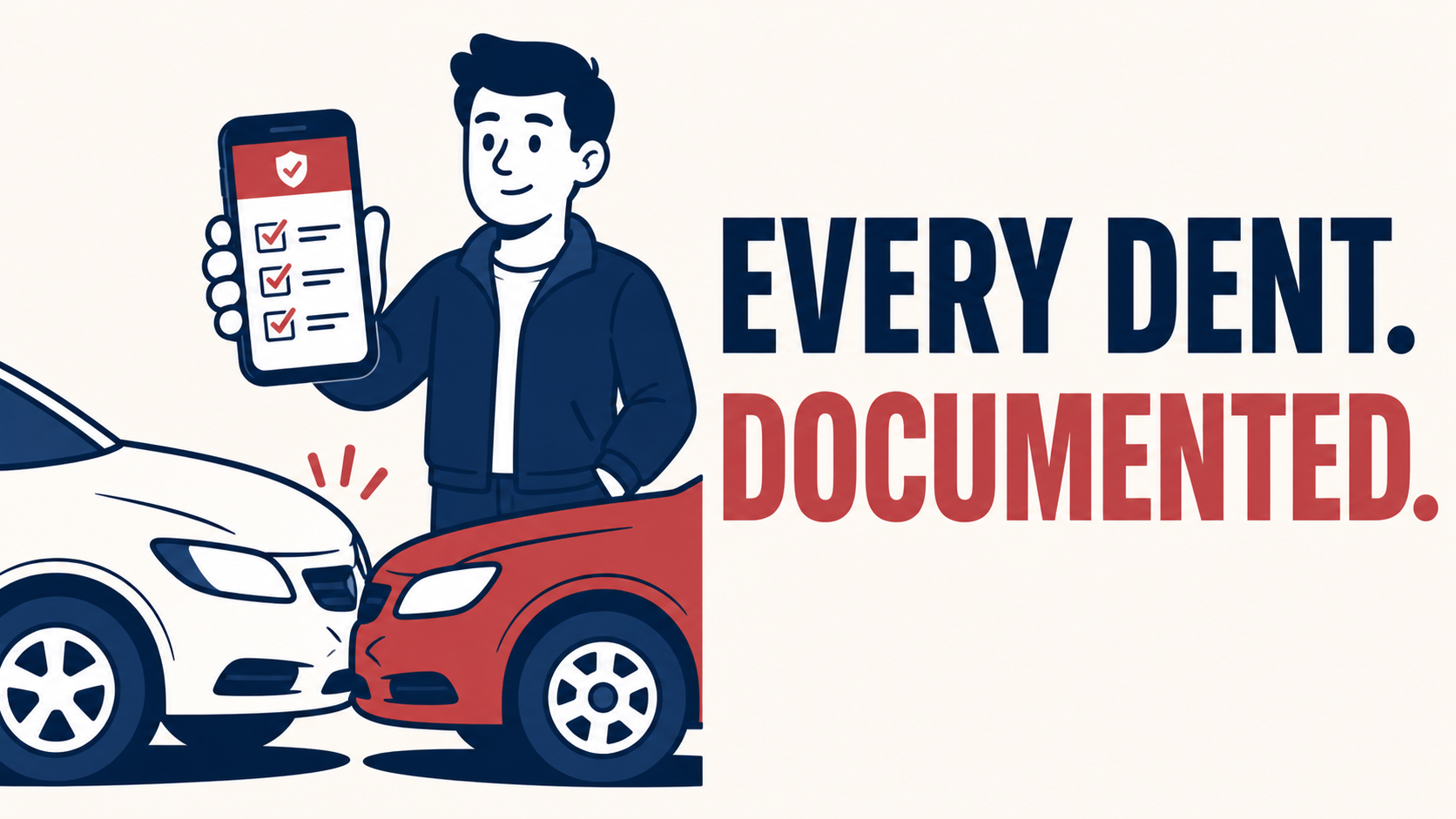
GeoX - Every Accident Documented, Costed, and Ready for the Insurance Adjuster
Capture every detail on the spot, nothing gets lost and your claims package writes itself
GeoX Accident Management Reducing Insurance Risk Through Consistent Incident Documentation Industry: Last-mile delivery, regional fleet A delivery client was experiencing rising insurance premiums without a clear understanding of why. Investigation revealed two contributing factors: minor incidents, bumper contact, parking-lot scrapes, low-speed collisions, were going unreported because no formal capture process existed, and when major claims did arise, the insurer received incomplete documentation. With no historical record to differentiate pre-existing damage from new incidents, the carrier priced for worst-case interpretation. Internal estimates of unreported damage costs varied widely, with no underlying data to settle the question. The Solution We deployed GeoX Accident Management as an add-in across the fleet. Policy was updated to require driver documentation for any incident, regardless of severity. The in-cab workflow guides the driver through a structured checklist, photos, location, time, driver statement, estimated cost, third-party details where applicable, and stores the record in MyGeotab. Within the first quarter, the client had a complete incident dataset for the first time. Reported incident volume initially rose as drivers logged previously undocumented events; it then declined as awareness of the recording process influenced behaviour. When a significant collision did occur, the claims pack was assembled the same day: timestamped photos, GPS coordinates, weather context, driver statement, and structured incident metadata. The carrier closed the claim materially faster than the client's historical average. At the following renewal, the premium decreased for the first time in three years. Where This Applies GeoX Accident Management is most relevant for fleets that: Carry significant deductibles or are partially self-insured Operate in high-touch environments (delivery, courier, school transport, service) Have experienced premium increases without clear cause Need to differentiate historical from new vehicle damage for asset management or resale The core value is converting incident documentation from an inconsistent, after-the-fact process into a structured workflow that runs at the scene, producing claims-ready records and behavioural data over time.
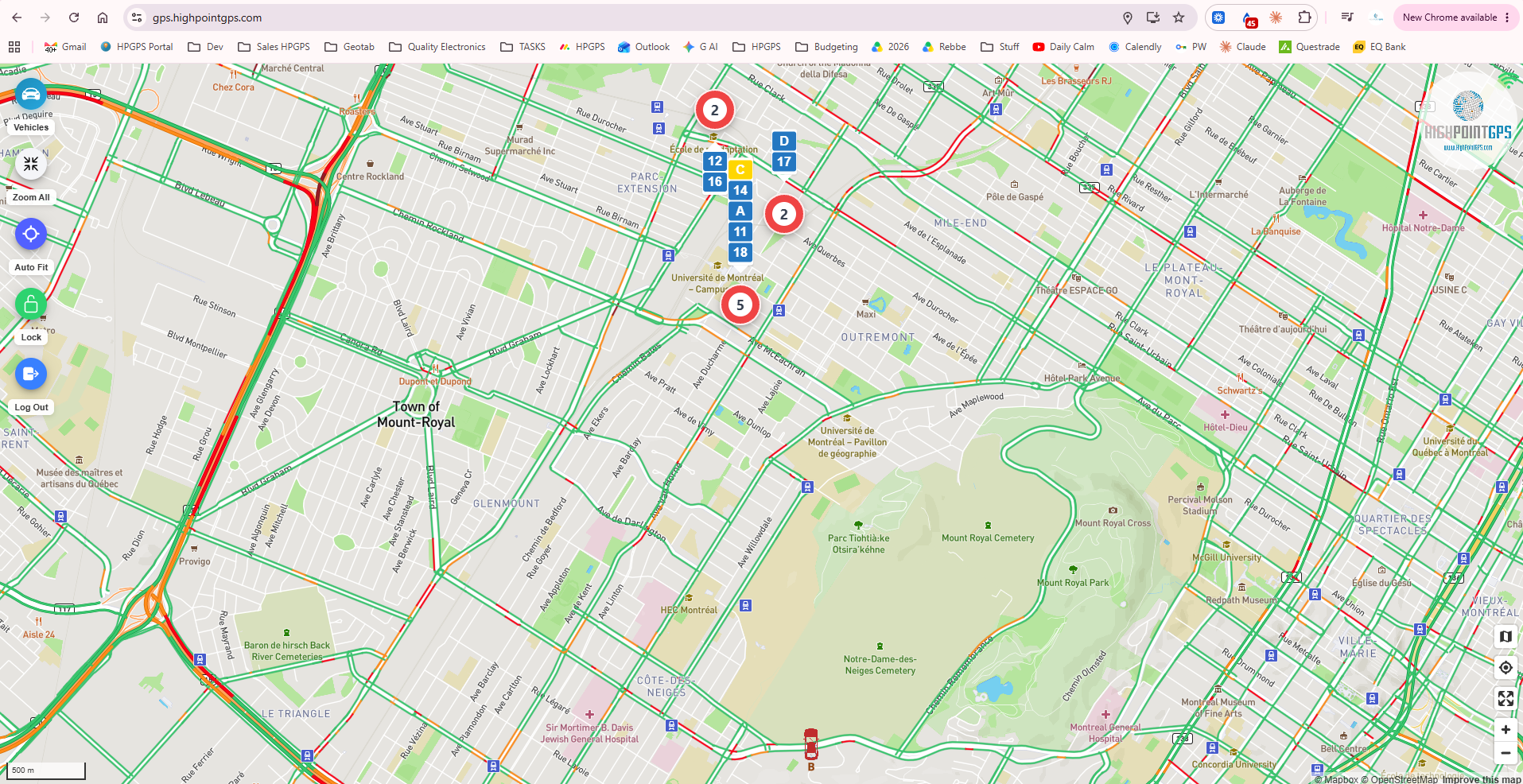
High Point GPS Public Tracking Portal
Public GPS Web application, Share with customers/School Parents or on large screen for live view
A secure web-based GPS tracking portal that provides real-time vehicle visibility for customers, school parents, and the public. Designed for school transportation, shuttle services, events, and fleet operations, the platform displays live vehicle locations, route progress, estimated arrival times, traffic conditions, and operational status on any web browser or large-screen display. No login is required for public viewers, while administrators maintain full control over visibility, privacy settings, and shared routes. Key Features Live GPS vehicle tracking Public shareable tracking links School bus and parent portal support Large-screen dispatch and operations displays Real-time traffic overlay ETA and route progress monitoring Multi-vehicle fleet view Mobile, tablet, and desktop compatible Secure permission-based sharing Shows last 30 minutes of tracking, auto updates Powered by High Point GPS™
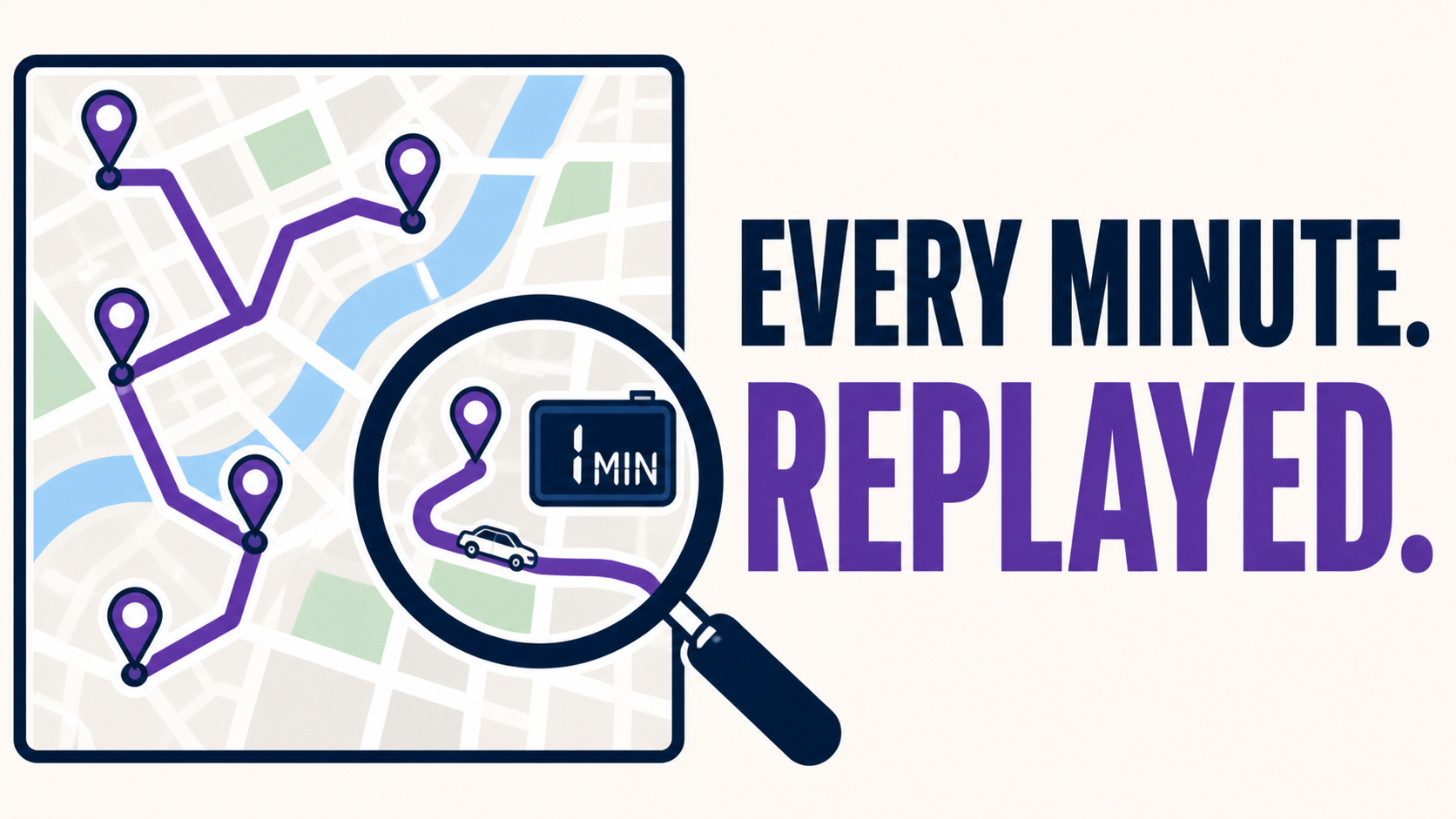
Timeline Map - Replay Any Trip Minute-by-Minute
Show any trip with 60 seconds intervals to see exactly what happened, when, and where
Timeline Map Resolving Customer Disputes With Granular Trip Records Industry: Residential HVAC service, regional fleet A residential service client received a customer complaint alleging that a technician had spent only minutes on-site for a service call billed as a full diagnostic. The standard trip log showed total stop duration of approximately ninety minutes, but the customer disputed the summary. The dispatch team needed documentation detailed enough to either substantiate the customer's claim or definitively close it. The Solution Using Timeline Map, the dispatch lead reconstructed the visit at one-minute intervals. The breakdown showed pre-service time in the cab completing paperwork, walk-up to the property, on-site duration at the residence, a brief return to the truck for parts, and final departure. The complete reconstruction was exported as a PDF and provided to the customer. The customer withdrew the complaint within twenty-four hours. No refund was issued and no public review was posted. The client subsequently incorporated Timeline Map into standard practice for several use cases: customer dispute resolution, post-incident safety review, route variance analysis, and verification of driver-reported delays. In each case, the value lies in being able to examine specific intervals of a trip rather than relying on summary-level data. Where This Applies Timeline Map is most relevant for fleets that: Operate in customer-facing service industries where billing disputes arise Conduct internal investigations of safety incidents requiring exact timing Need to verify driver accounts of delays, route deviations, or extended stops Require defensible records for liability or contractual purposes The core value is the ability to drill from summary trip data into minute-by-minute detail, retrieving information that standard reports do not retain.

Zone Visit Targets - Reward the Drivers Who Beat the Clock at Every Stop
Set a target time per stop and visit gets auto-graded so bonus decisions make themselves
Zone Visit Targets Aligning Driver Bonus Structures With Measurable Performance Industry: Commercial cleaning services, mid-sized vehicle fleet A commercial services client operated a quarterly driver bonus tied to stop-time performance. Target durations varied by client site , smaller offices required shorter visits, regional headquarters longer ones. Performance was assessed informally by the dispatch team based on observed activity. Over time, the same group of drivers consistently received bonuses, while others did not. A subsequent review of telematics data showed the informal assessments did not align with actual on-site duration, and the bonus structure had become a source of internal dispute. The Solution We deployed Zone Visit Targets to formalize the measurement. A target duration window was assigned to each client zone, calibrated to the contracted scope of work, for example, twenty-five minutes for small offices, ninety minutes for regional sites. Each driver visit was automatically scored against the target for that specific zone. The first full quarter of data revealed meaningful variance from prior assumptions. Several drivers previously identified as top performers were running consistently over target on larger sites; other drivers, less visible to dispatch, were meeting target across the full zone mix at a high rate. Bonus allocation was adjusted accordingly, with criteria made transparent to all drivers. In the two quarters following implementation, on-time stop performance across the fleet improved measurably. Driver disputes related to bonus allocation declined to near zero, as performance criteria were now objective and reviewable. Where This Applies Zone Visit Targets is most relevant for fleets that: Operate performance-based driver compensation Bill clients on a per-visit, per-hour, or scope-of-work basis Service client sites with materially different expected stop durations Need an objective measurement layer to support performance reviews The core value is replacing subjective performance assessment with a per-zone, per-visit scoring framework that aligns dispatcher judgment, driver expectation, and compensation criteria.
Marketplace Add-Ons
20Trusted integrations from Geotab and third-party developers.
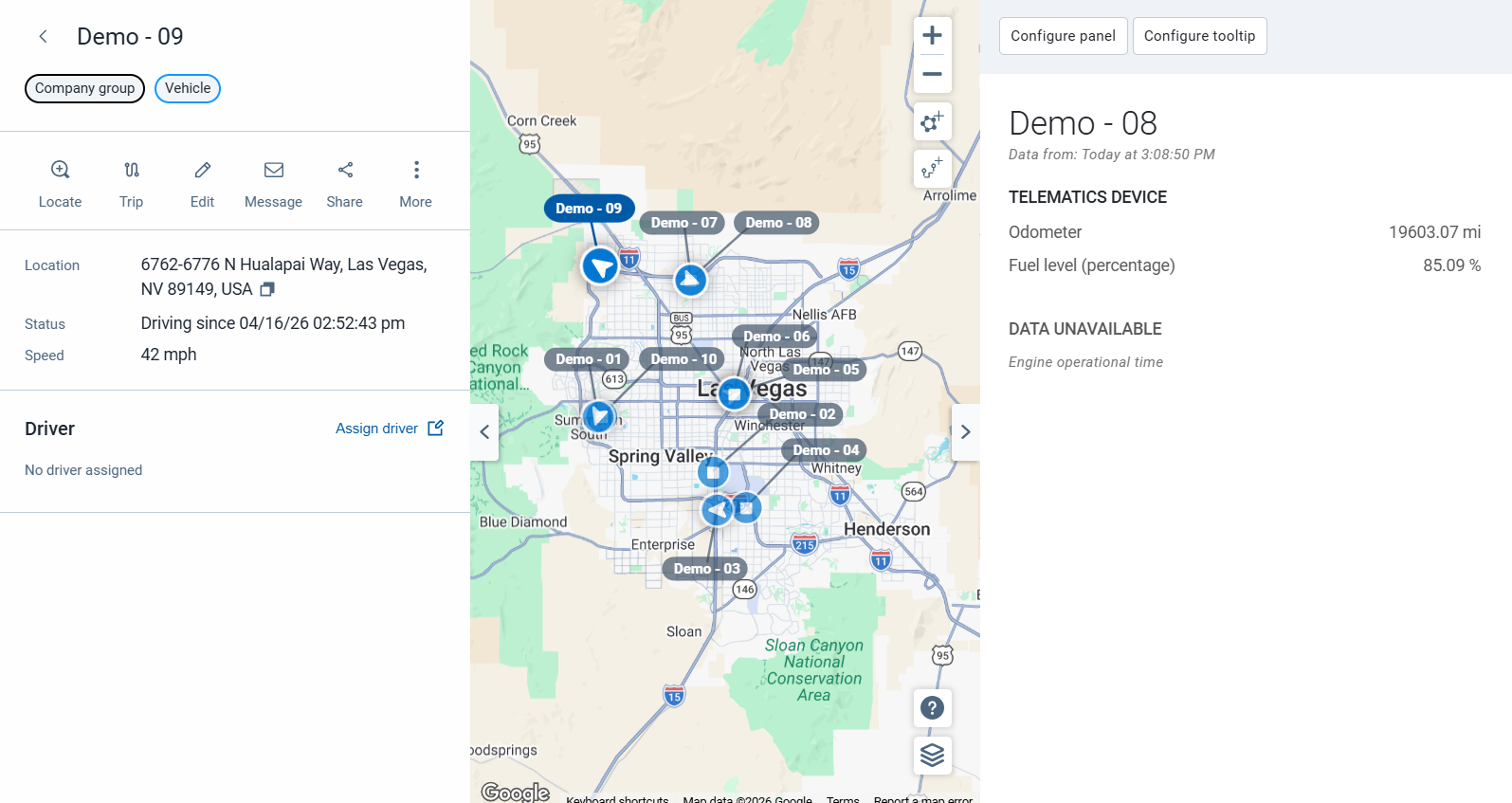
Asset Data Display
The Vehicle Data Display Add-In allows users to customize their MyGeotab user interface to display the data that matters most to them. Once this Add-In is set up, the selected data will be displayed on the map when hovering over a vehicle. A more detailed view can be seen by selecting a vehicle from the map. NOTE: This solution is currently in Beta. Features And Benefits Configure the Add-In to your needs Easily access vehicle data that matters most to you View up to ten vehicle data points at once, including engine hours, fuel level, speed and public works specific metrics such as air and road temperature, application rates, controller status, material totals and more
BlueArrow Fuel
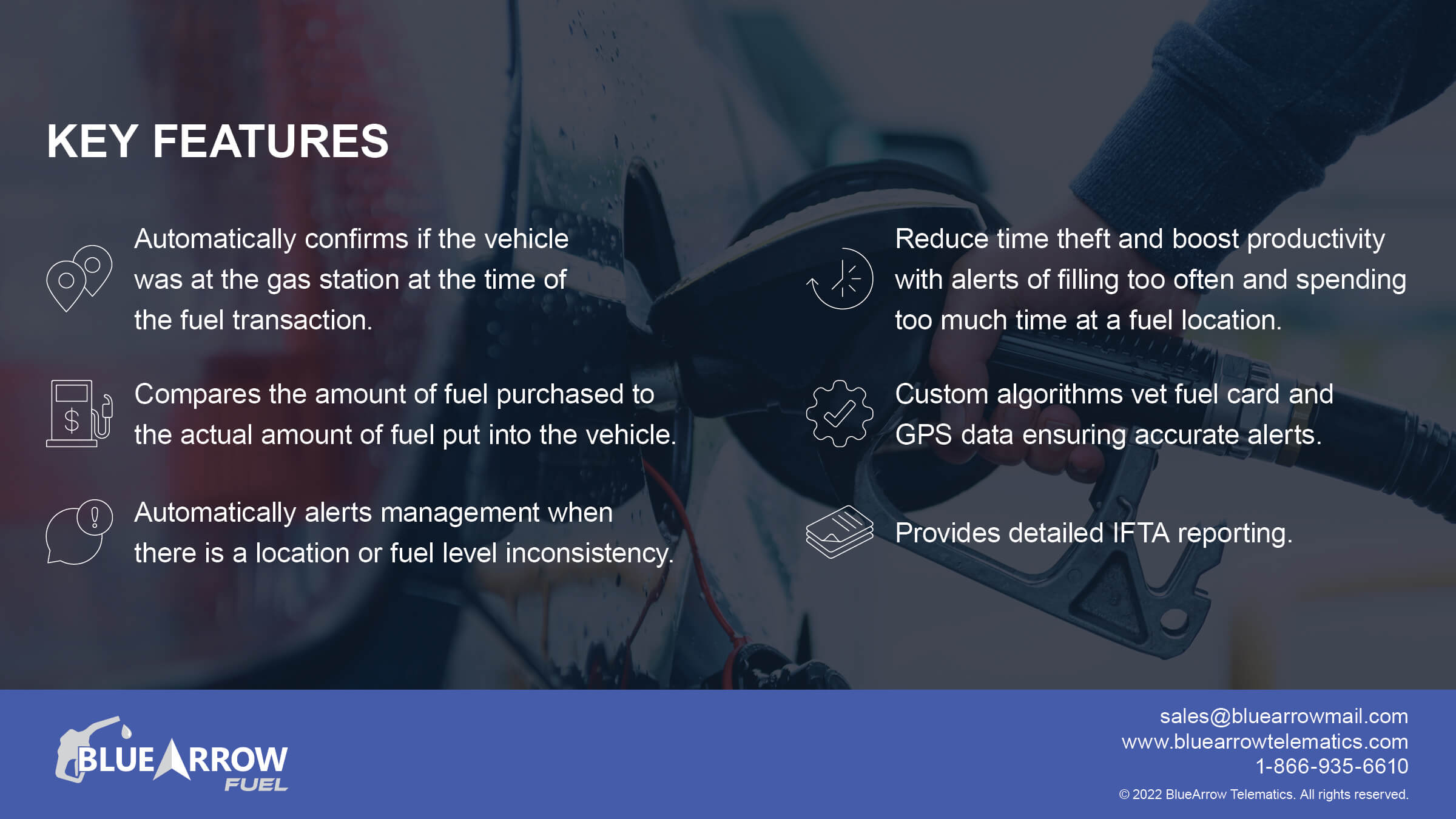
BlueArrow Fuel is an all-encompassing workflow solution for fuel card misuse and time theft. Fleet Managers are able to correct gas station locations and approve transactions to avoid wasted time weeding through inconsistent reports and notifications. Automatically import vetted fuel transactions into Geotab for easier IFTA reporting and receive alerts whenever the app detects discrepancies. Current Fuel Card and On-Site Fuel Integrations WEX (including all white labels like Shell, Esso, etc) EFS Corpay (Fleetcor, white labels like BP and others) Comdata Voyager Fuelman GIR PetroCanada Multiservice (MS) Jacobus SC Fuel Fuel Tracker Flyer’s Hunt and Sons Loves Fuel Coast Ramos Oil DC&H CA Fuel Valleywide Coop Petrocard Sapphire Fuelcloud Sears BVD Jubitz Veriha CarIQ Features And Benefits Automatically confirms if the vehicle was at the gas station at the time of the transaction Compares the amount of fuel purchased to the actual amount of fuel put into the vehicle Automatically alerts management when there is location or fuel level inconsistency Reduce time theft and boost productivity with alerts for filling too often and spending too much time at a fuel location Custom algorithms vet fuel card and GPS data ensuring accurate alerts Import vetted transactions into Geotab to provide advanced IFTA reporting capabilities Reseller Partner White Labeling option is available
Collision Reconstruction
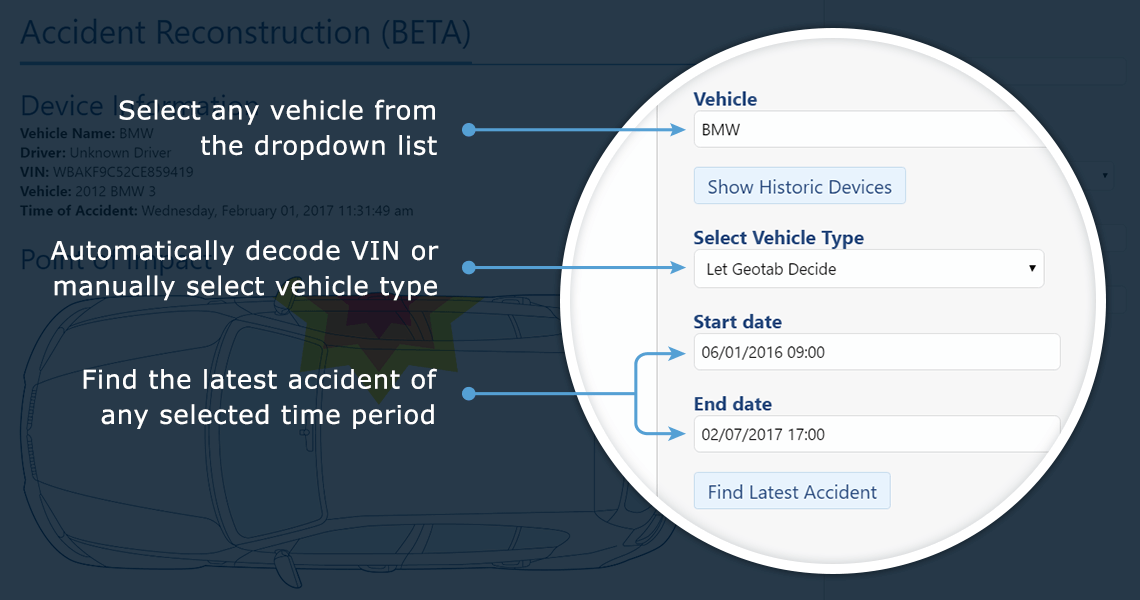
Geotab’s Collision Reconstruction Add-In allows you to view, analyze, and interpret collision data from Geotab tracking devices. It finds and analyzes known collisions for a given time period and displays all relevant information into a single, easy to read document. This tool is helpful for fleet managers and administrators to view the position and the point of impact of any collision in their fleet, and provides customized links to view the speed profile, RPM, and accelerometer data during the collision. Features And Benefits Features Reconstruction based on a larger time period All-in-one view of an accident without having to sort through and analyze separate sections of MyGeotab Point of Impact calculated based on the acceleration values received* Simple customized links to go straight into speed profile, RPM graph and accelerometer graph Benefits Fast and easy to use solution for analyzing collision data Optimizing and simplifying complex accelerometer data Provides critical data to improve logistics and decision-making Point of impact can provide a better understanding of the overall accident as it occurred Increasing overall fleet safety by reducing potential recurring behavior in drivers Reduces potential accidents
Compliance Data Summary
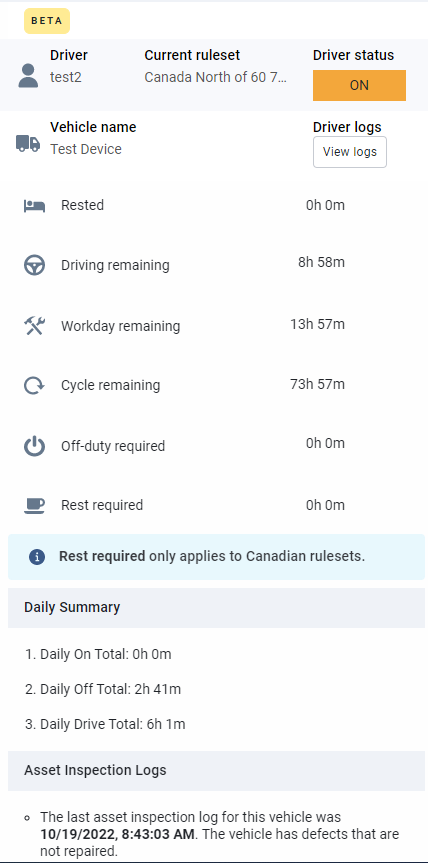
The Compliance Data Summary Add-In will enable users that utilize ELD to instantly view a snapshot of drivers’ HOS and Asset Inspection data, as well as their respective compliance status from the live map page. Features And Benefits Dispatchers and fleet managers will have instant visibility into driver compliance status, navigating less pages Optimized visibility on live map for improved route planning, rerouting and effective driver assignment based on working hours and availability Device Plan Requirements GO, Pro, ProPlus, Regulatory Mobile Version iOS and Android versions
Data Connector
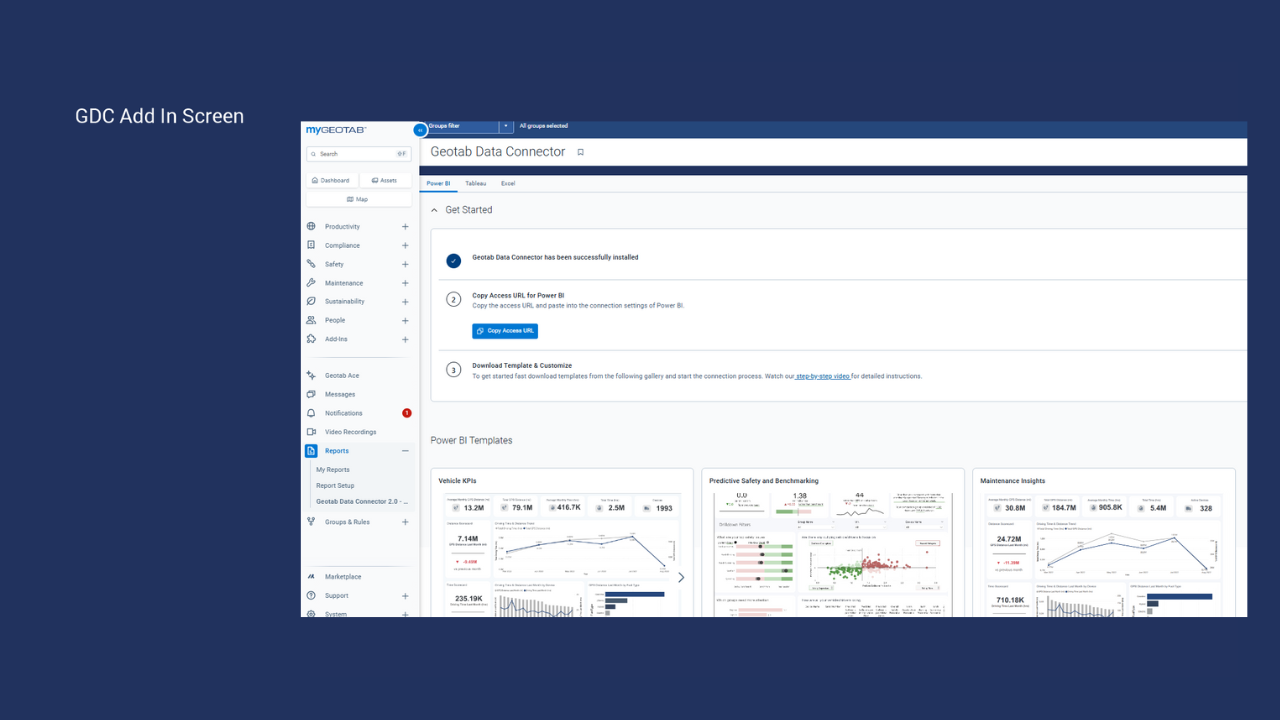
Effortlessly integrate your fleet telematics and performance data into common BI tools like PowerBI, Tableau and even Excel! Features And Benefits Pre-Curated Data: Direct access to organized Geotab datasets for faster analysis. Pre Built Templates: Ready-to-use dashboards for Power BI and Tableau, tailored to your needs. Template gallery: Ever evolving gallery of dashboard templates that can be accessed right from MyGeotab Automated Reporting: Eliminate manual processes with daily automated updates. User-Based Filtering: Secure data access customized to your MyGeotab credentials. Scalable Insights: Handle large datasets with ease, combining Geotab data with other sources.
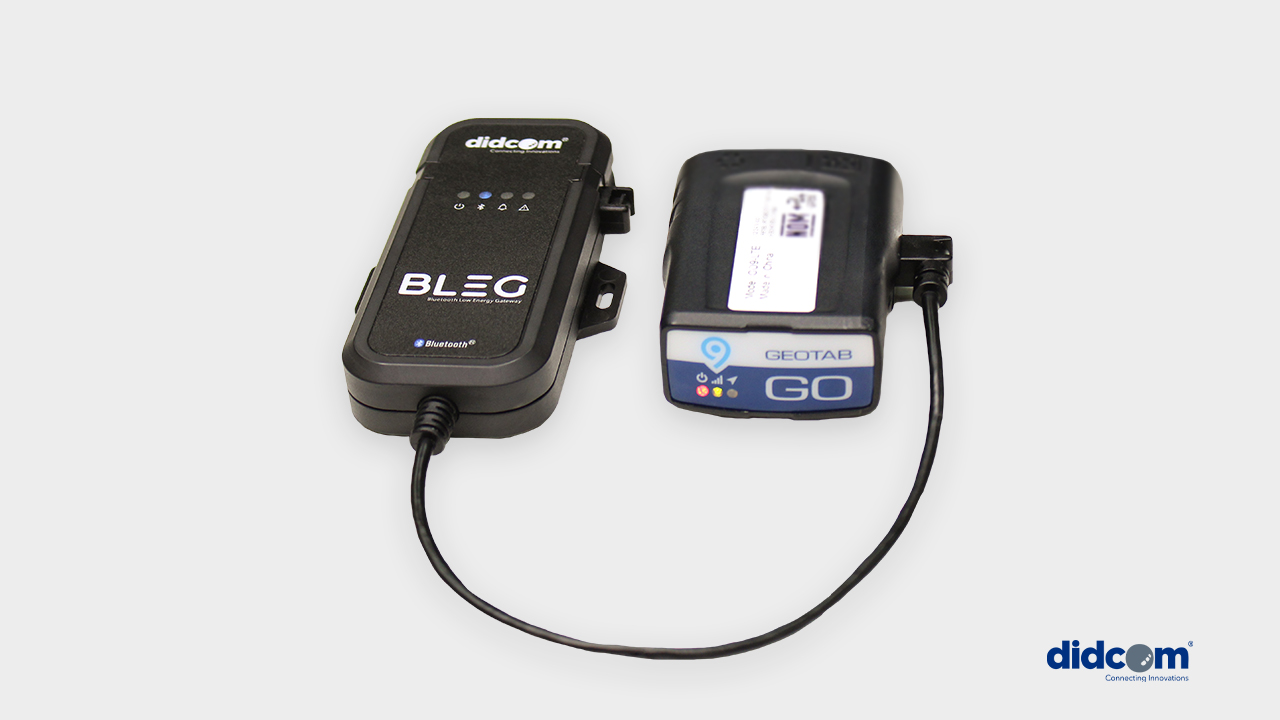
DIDCOM BLEG Bluetooth Low Energy Gateway
Didcom BLEG is a gateway that manages the information from sensors with Bluetooth technology, connecting to telematics devices to send the data collected in real time. Cold chain Fuel extraction Tire pressure status Comfort temperature Door opening security Motion detection Trailer identification Input and output status monitoring And many others… Didcom BLEG is a solution that follows the same quality line as Didcom sensors, now integrating the advantage of wireless communication. Features And Benefits Up to 30 sensors connected simultaneously Wireless sensors with battery over 10 years Compact and ready-to-use design Connection to Android and iOS management app Specifications Bluetooth 5.0 technology Durable construction Alerts and message configuration
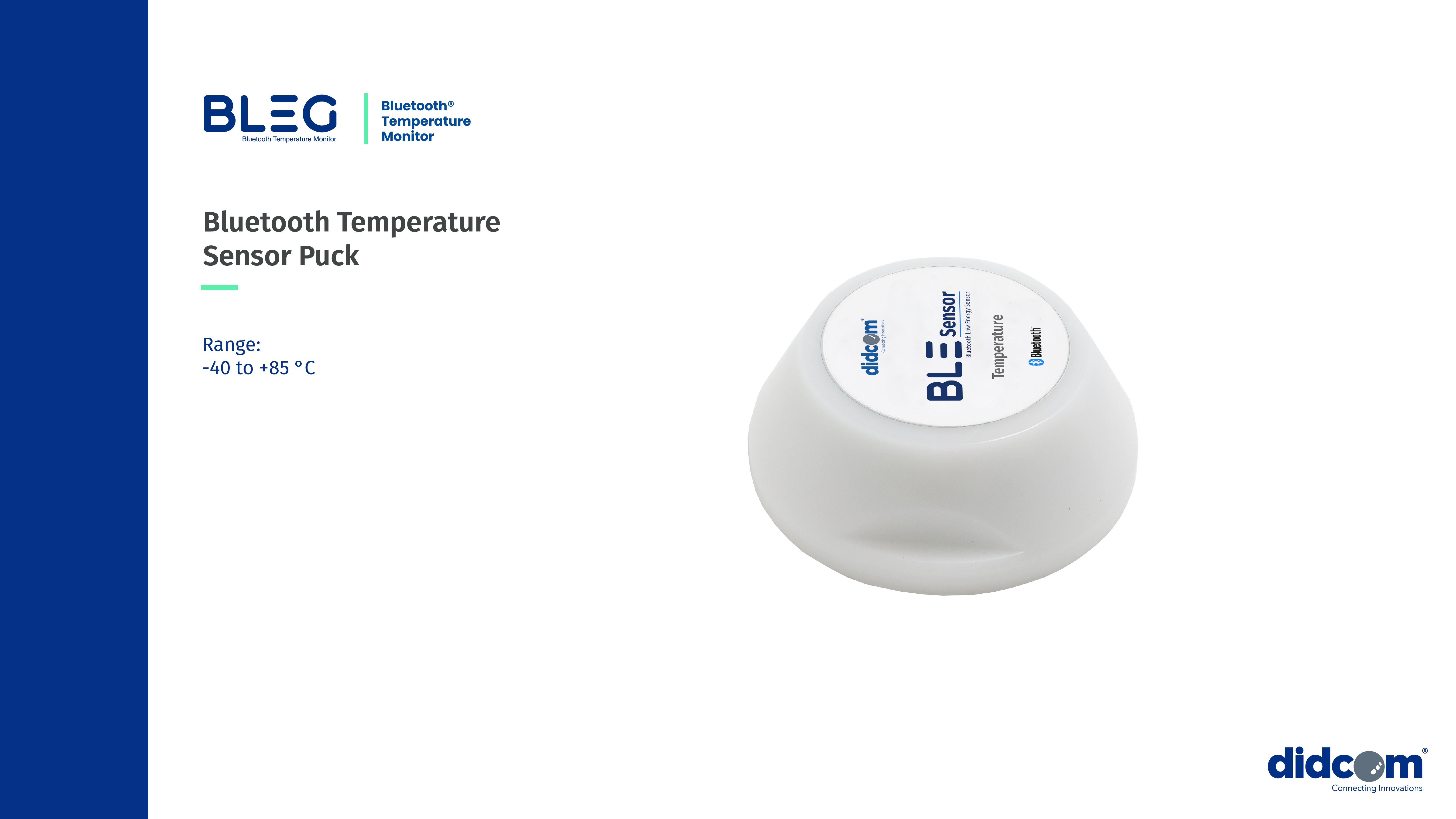
Didcom Bluetooth Temperature Sensor Puck
This robust and waterproof Bluetooth temperature beacon sensor is 100% autonomous, with a battery life of up to 10 years. Designed for industrial cold chain traceability, it provides wireless temperature monitoring across a wide range from -40°C to 85°C, ensuring compliance without complex wiring. Certified for performance with embedded software, it fully meets the standards required for transporting and storing temperature-sensitive goods. Fully compatible with the Didcom BLEG gateway for seamless integration into cold chain management solutions. Features And Benefits Features Up to 30 sensors connected simultaneously Real-time temperature tracking Temperature records log Plug-and-play installation IOX protocol Wide applicability across industries Benefits Enhanced Traceability Real-time tracking and historical data for full visibility Actionable Insights Advanced analytics to optimize decision-making Regulatory Adherence Automated compliance with industry standards Cost Savings Reduced spoilage and improved operational efficiency **Works With DIDCOM IOX BLEG** **Puck Holder Sold Seperately**

DIDCOM Passenger ID
Our Passenger Identifier solution was developed to make it easier to monitor students or employees traveling by bus to ensure their safety. Passengers simply display their ID card, containing a unique identifier linked to their personal information, each time they get on or get off from the bus. The main objective of this solution is to provide the security that the passenger got on and off from the bus in the corresponding geographical points according to the service contract. The data collected from the ID card is linked with the GPS positioning and shared in real time to those managing the data like the school and/or parents, or the employer arranging employee transportation. In the case that the Companies or school already has ID cards, our solution can be integrated into this for added functionality. For this, protocol compatibility with the reader will be verified. Features And Benefits With our Passenger Identifier solution you will be able to measure and control the capacity that uses the vehicular transport services. Certainty and control of user assistance to the workplace or school (notification that the passenger is already aboard the unit) Contracted services usage Get in and get off information (Date - Time and location) Information about the unit in which the user is traveling Reports of travel logs per passenger. (Unit - Date - Position - Route) Integration with third-party systems
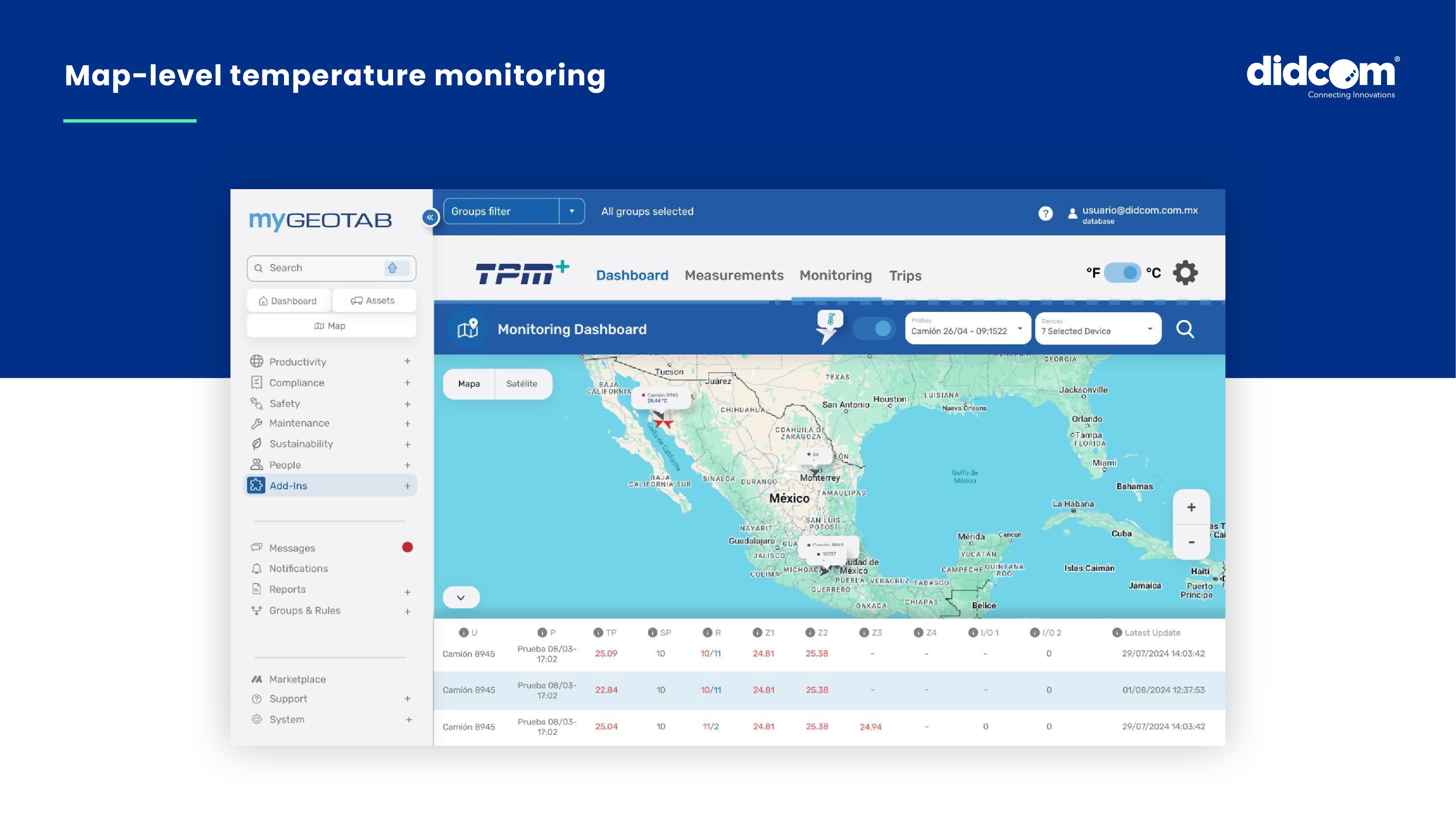
DIDCOM Temperature Monitoring | TPM
TPM Temperature Monitor is a cutting-edge solution designed to enhance cold chain stability, ensure product integrity and deliver seamless, real-time temperature monitoring for temperature-sensitive logistics. The TPM Temperature Monitoring is a plug-and-play, industrial-grade, wired solution designed for robust environments, ensuring precise and uninterrupted temperature tracking in refrigerated transport, perishable goods and sensitive cargo. With heavy-duty industrial connectors and multi-zone monitoring capabilities, this advanced system delivers high durability and reliability for demanding operations, ensuring precise temperature tracking for multi-compartment refrigeration and long-haul transport, helping businesses maintain product quality, meet compliance standards and optimize operational efficiency. Seamlessly integrated with MyGeotab, TPM helps businesses optimize logistics, maintain product quality, and enhance operational efficiency, making it an essential tool for cold chain management in harsh and high-performance environments. Features And Benefits The TPM Temperature Monitor empowers businesses with comprehensive cold chain management, enhancing both efficiency and regulatory compliance, and setting a new standard for operational excellence in temperature-sensitive logistics. Features Up to 6 temperature sensors connected simultaneously Temperature records log Usage monitoring and compressor status IOX protocol Ready-to-use design Benefits Transported cargo control Fines reduction and less merchandise rejection Detail temperature log for cold chain audit Elimination of costs due to deterioration claims
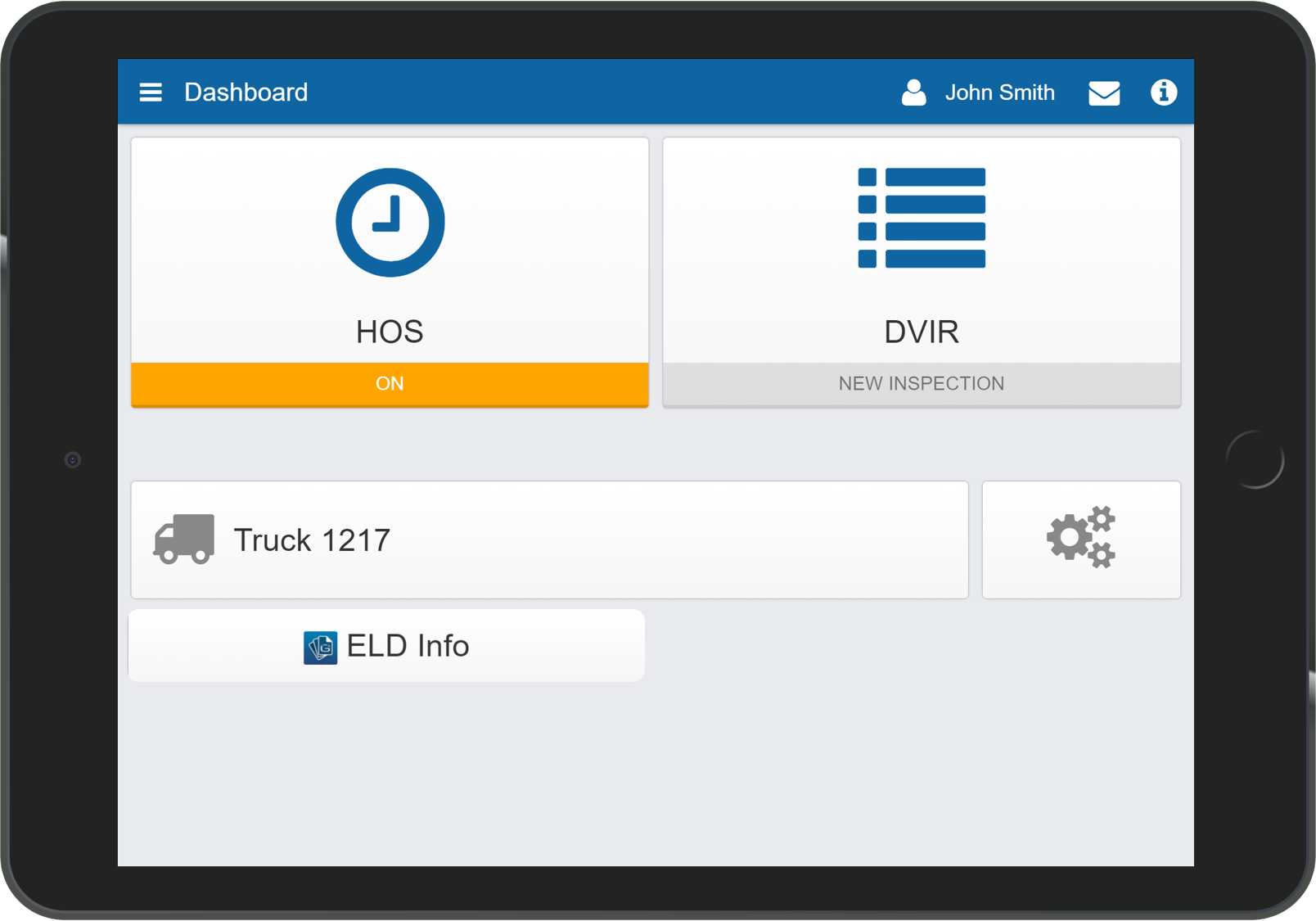
ELD Info
The ELD Information Add-In provides instant, driver-friendly access to the Reseller Support Helpdesk. View the latest ELD information documents that are required during a roadside inspection in accordance with §395.22 (h), or stream the latest How-to videos for Geotab Drive. The use of this Add-In may result in an increase in mobile data usage. The following features are available only when used with a device with a cellular data connection. Support Information Instantly e-mail or contact your helpdesk from the ELD Support Add-In In-Vehicle Documents View the latest ELD information documents that are required to be made available during a roadside inspection in accordance with §395.22 (h). Workflow Documents View the latest workflow documents for Driver Vehicle Inspections Report (DVIR) or the Hours of Service (HOS). Note: If using an MDM solution, please ensure settings allow access to the documents provided within this Add-In. Features And Benefits Instantly report issues to your helpdesk View the latest Geotab Drive documents within the Geotab Drive App Learn about the latest Geotab Drive updates, through our how-to videos Present the ELD Information Packet during roadside inspection Device Plan Requirements GO, Pro, ProPlus, Regulatory
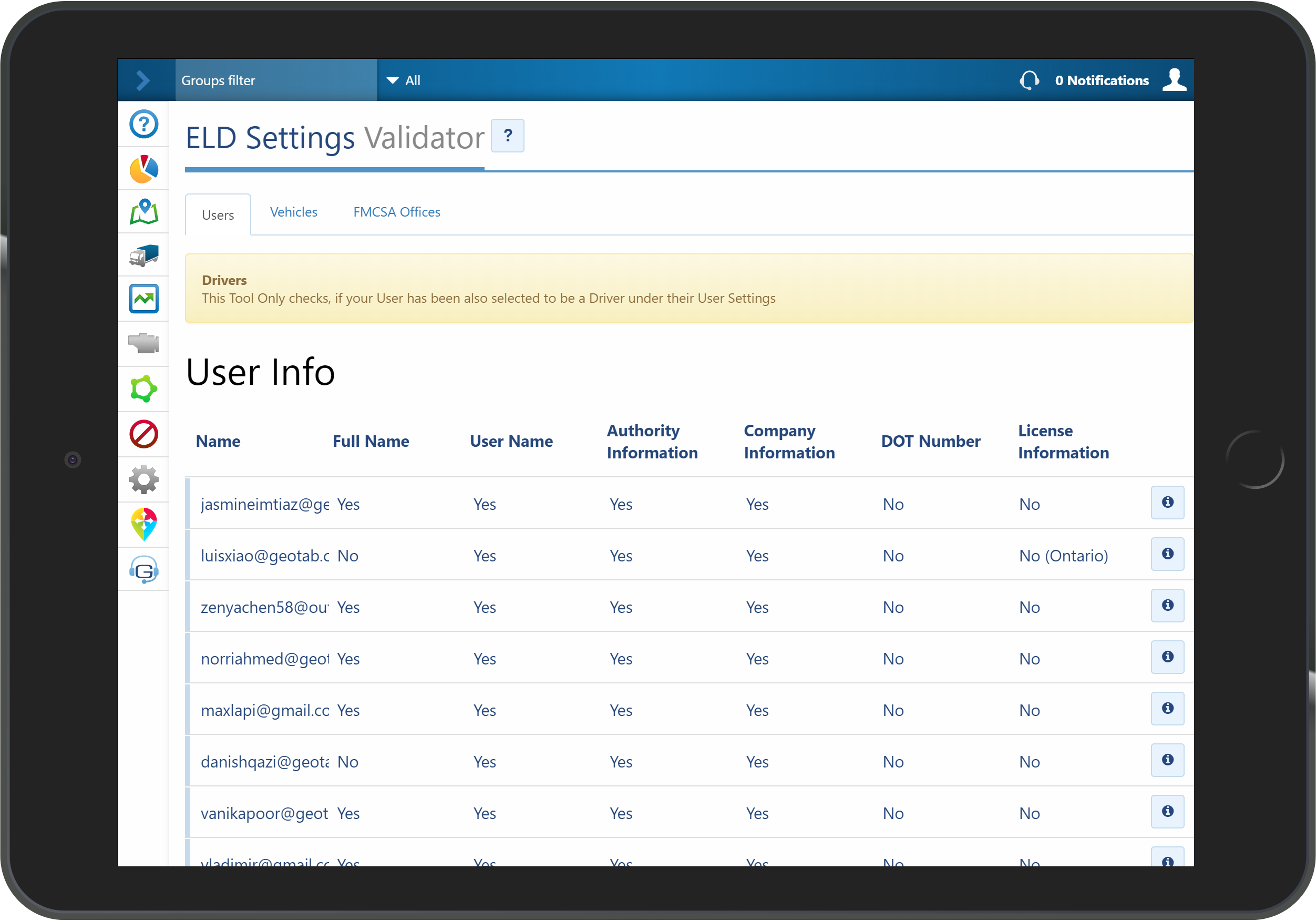
ELD Settings Validator
The ELD Settings Validator is a MyGeotab Add-In that is designed to help administrators view important driver & vehicle information necessary for roadside inspection. Verify that the driver & vehicle are setup correctly across your database. The ELD Settings Validator allows you to ensure that the appropriate authority/company information, DOT number and license information is added. These details are necessary for an error free ELD data transfer at roadside inspection. Also ensure that the vehicle, VIN, license plate number, rate plan & Automatic HOS settings is enabled. Features And Benefits Reducing user error at roadside inspection Improving fleet and ELD compliance Device Plan Requirements GO, Pro, ProPlus, Regulatory
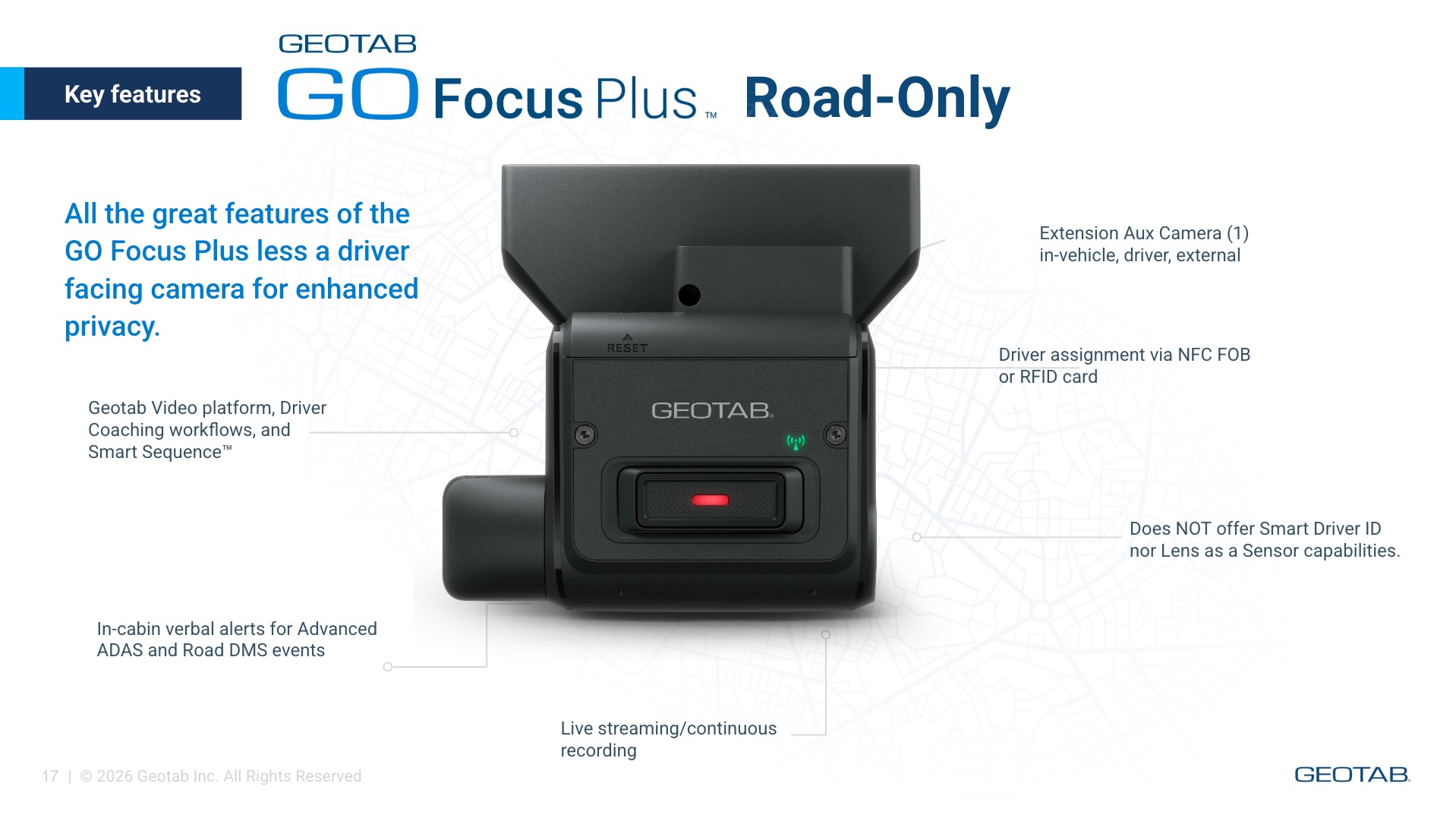
GO Focus Plus AI Dashcam
Real-time monitoring and intelligent coaching to drive safer habits GO Focus Plus goes straight after distracted driving and other critical events costing fleets the most in collisions, claims and lost time. It detects distracted driving like phone usage and fatigue, as well as tailgating and other critical events, and delivers in-cab voice feedback to drivers the moment risk happens so safer habits start right away. Easy installation: Auto-pairs and self calibrates to eliminate common hassles of installation Real intelligence: Geotab’s advanced AI models , are tuned to minimize false positives and negatives Effective, focused coaching: Real-time voice safety alerts and a supporting mobile app help drivers build safer habits before collisions occur GO Focus Plus is a compact, intelligent dash cam designed to improve fleet safety. It combines advanced artificial intelligence, Driver Assistance Systems (ADAS), Driver Monitoring Systems (DMS), and telematics data into one seamless solution. Adjustable road-facing and in-cabin lenses, provide flexible installation across different vehicle types and driver heights. * Now offering GO Focus Plus Road-Only version for enhanced driver privacy (Jan 2026) Geotab Video compliments GO Focus Plus simplifying coaching for fleet managers The new coaching workflow turns alerts into an individualized coaching opportunity and puts urgent incidents to the top right away, letting managers track progress and recognize safe driving in one seamless platform. Advanced AI models continuously improve detection and coaching, so your system gets smarter automatically and your team stays ahead of risk. Privacy options, data security and regional compliance are built in from the start. View Essential Footage Instantly: Preview of the most critical moments in an event including key event data Identify repeat offenders: most drivers a verbal reminder is enough, coaching recommendations and sessions for the your most risky Automated coaching workflows Driving coaching that’s focused, effective and positive. Included in product package • GO Focus Plus • Installation Guide • Mounting Kit • GO Focus Plus Smart Cable • I/O Cover • Alcohol Wipe • M2 Hex Key Wrench • Truck Cable Cap • Automotive-grade MicroSD Card • 4 x Recording Warning Window Stickers SKU Guide: GE1-LTE1ATT - GO Focus Plus Camera (ATT, US) GE1-LTE1TEL - GO Focus Plus Camera (Telus, CAN) GE1-LTE2TEN-L - GO Focus Plus Camera (Telenor, EU/ANZ/SEA left drive) GE1-LTE2TEN-R - GO Focus Plus Camera (Telenor, EU/SEA right side drive) GE1-LTE-2TEN-SOLO - GO Focus Plus Road-Only Camera (Telenor, EU/ANZ/SEA) GE1-LTE-1ATT-SOLO - GO FOcus Plus Road-Only Camera (ATT, US) GE1-LTE-1TEL-SOLO - GO Focus Plus Road-Only Camera (Telus, CAN) Features And Benefits Driver risk scores Easily identify repeat offenders and risky behavior patterns Severity-based event review Riskiest behaviors, habits and events are surfaced first Coaching automation Real-time coaching through in-cab audio and verbal alerts Driver risk change Track the impact and change of driving behaviors over time Coaching sessions Enables easy communication between Manager and Driver Full event context Understand risk levels based on driver actions, road conditions, reaction times and more
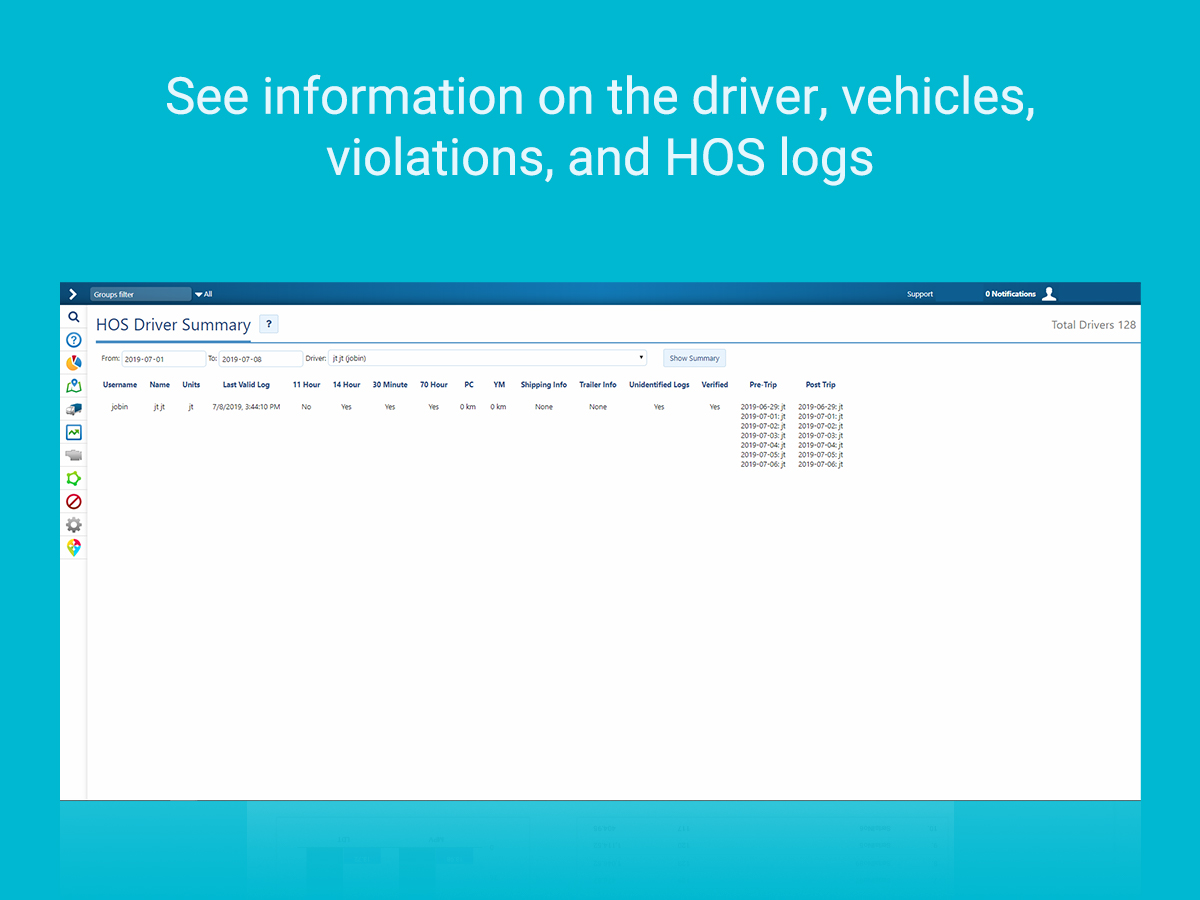
HOS Driver Summary
The HOS Driver Summary is a MyGeotab Add-In designed to provide a summary report for driver HOS logs. With the ability to select the drivers and time periods included in the report, ensure you get exactly the data you need. Features And Benefits Capture a summary of violations like: work day violation, driving hours violation, 70/80 hours violation etc. Include shipping and trailer information in the report during the selected time period Discover any potential unidentified logs Identify if all logs during the selected time period are verified Identify any missing Pre-Trip or Post-Trip DVIR information. Device Plan Requirements GO, Pro, ProPlus, Regulatory
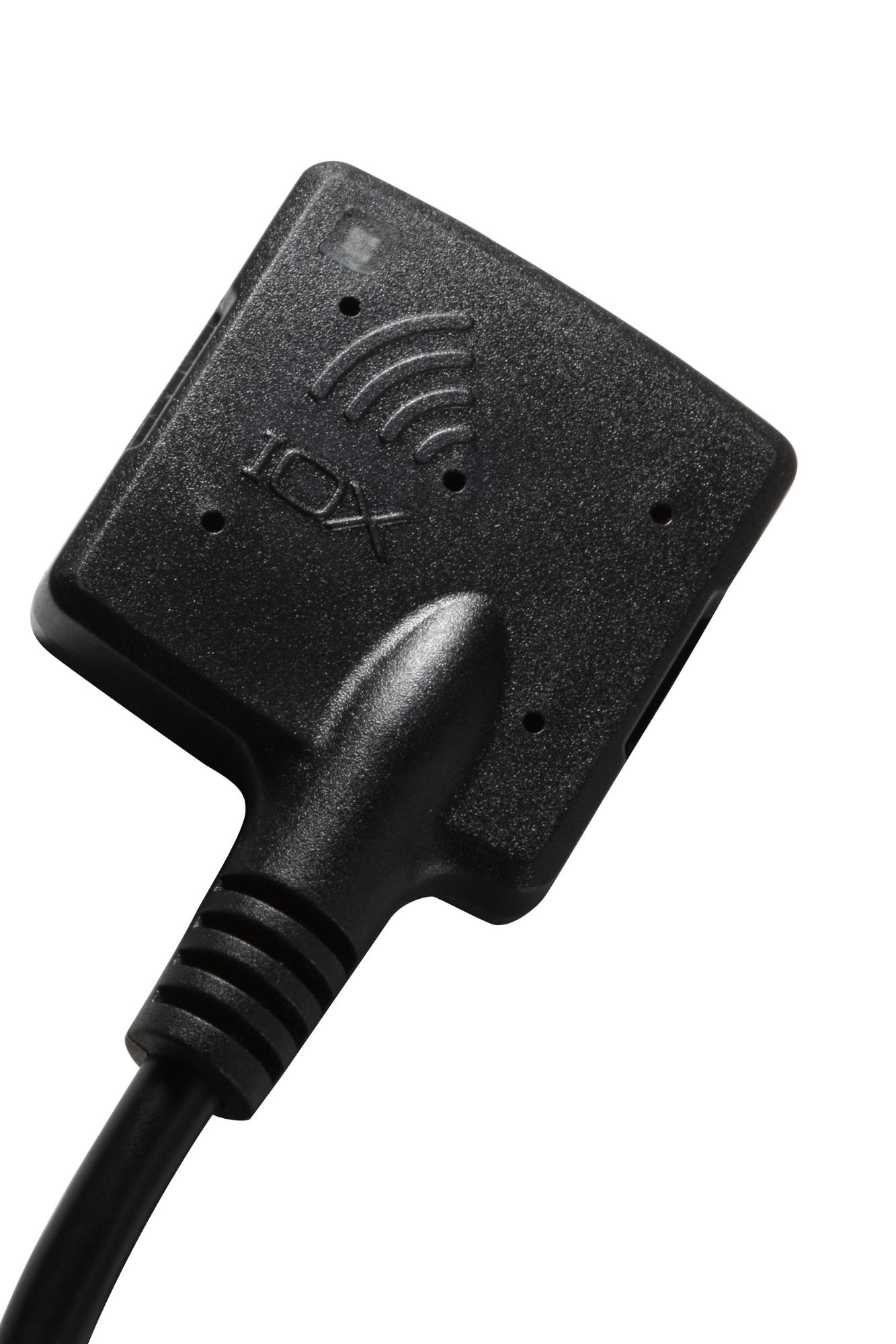
IOX-NFCREADERA
The IOX-NFCREADERA lets you monitor vehicles based on their driver. Using Near Field Communication (NFC) with the Geotab GO device, identify drivers operating vehicles in a fleet at any given time. Drivers swipe in at the start of their trip, linking them to their vehicle. Dispatchers or managers can then easily view where each driver is at any point in time, and can monitor which driver is currently operating a given vehicle. Collecting data that is organized by driver creates versatile opportunities for rules and reports. Now you can better manage driving habits by running reports on the habits of each individual driver. You can also run rule exception reports by driver to easily identify if certain drivers are more prone to breaking rules than others. You can create Authorized Driver Lists for specific GO devices. This will allow the IOX-NFCREADERA to only accept driver key tags that are assigned to an authorized driver. Drivers can be added and removed from the list easily through the Geotab SDK. IOX (Input / Output Expanders) plug directly into the GO device and are used to extend the GO device to peripherals in your vehicle. Leveraging the CAN networks that run on the GO device, IOXs can be daisy-chained together meaning multiple peripherals can be added to the GO device. This adds flexibility to your implementation, even after installation, and means the Geotab solution can grow as your fleet needs grow. The IOX-NFCREADERA comes with the near-field tag reader and SPR-NFCBRACKET (mounting bracket, including screws and adhesive) for installation. Features And Benefits Assigning Drivers to vehicles allows reporting based on Driver Tracks Driver across multiple vehicles to track different driving habits Easy installation Authorized Driver List for authorizing drivers (see Specifications for setup)
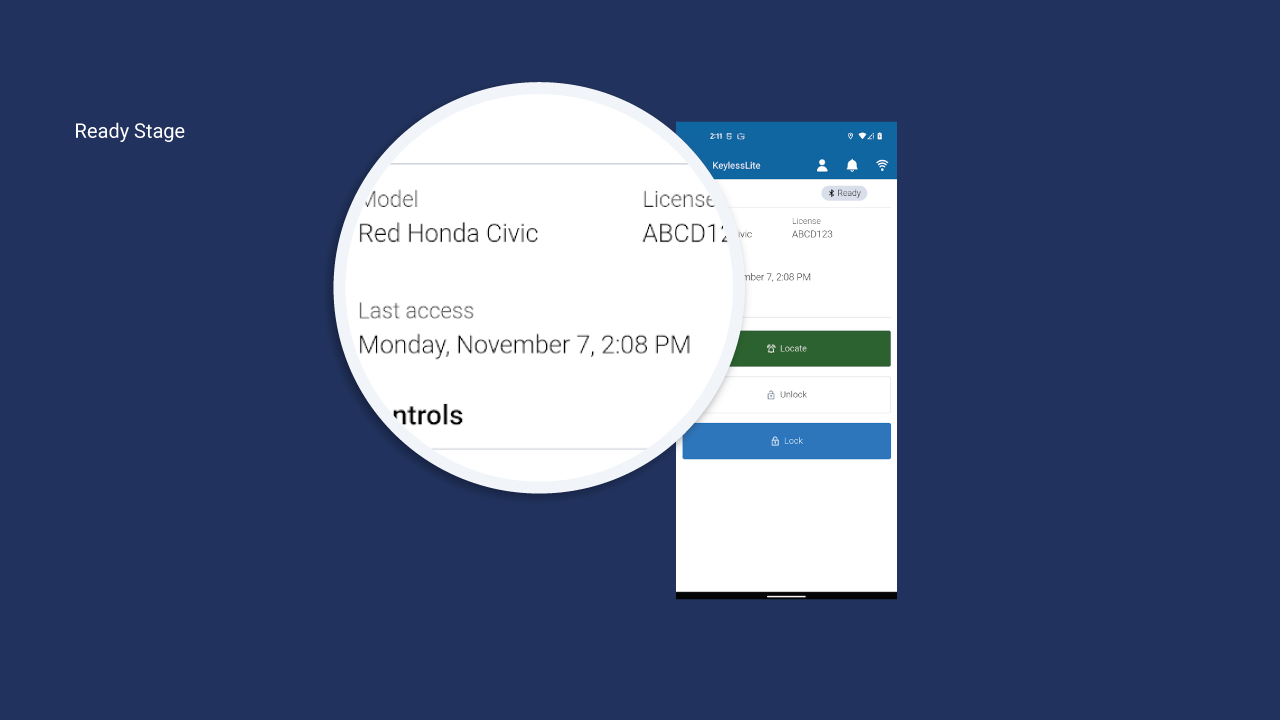
Keyless Lite
Keyless Lite, a Geotab Drive Mobile App add-in, enables on-demand shared vehicle access for fleets using Geotab’s Keyless Shared Mobility solution. Keyless Lite communicates via Bluetooth, enabling highly reliable vehicle access. Drivers can use their mobile device to locate, lock, and unlock vehicles in locations where there is no data connectivity. Keyless Lite is a great fit when vehicle reservations are not required. Drivers simply access an available vehicle when needed. The Driver assigns themselves the desired vehicle in Geotab Drive, and accesses Keyless Lite for digital key vehicle access. Automatic Driver assignment is included in MyGeotab, providing visibility into who was the Driver per Trip. Features And Benefits Intuitive mobile interface gives Drivers access to shared vehicles quickly and easily. Works in locations where there is no data connectivity, via Bluetooth, such as underground lots or remote locations, enabling reliable access. Assigns Drivers to Trips automatically in MyGeotab to give you more visibility into who is accessing your shared vehicle fleet, and enabling you to take advantage of MyGeotab driver safety features Works with Geotab’s Keyless Solution (both device options of IOX Keyless or IOX Keybox). Please note that you will need to download and install the Geotab Drive App first, then install Keyless Lite from the Geotab Marketplace for access within the Drive App. See the Keyless Lite Quick Start Guide for full setup instructions.
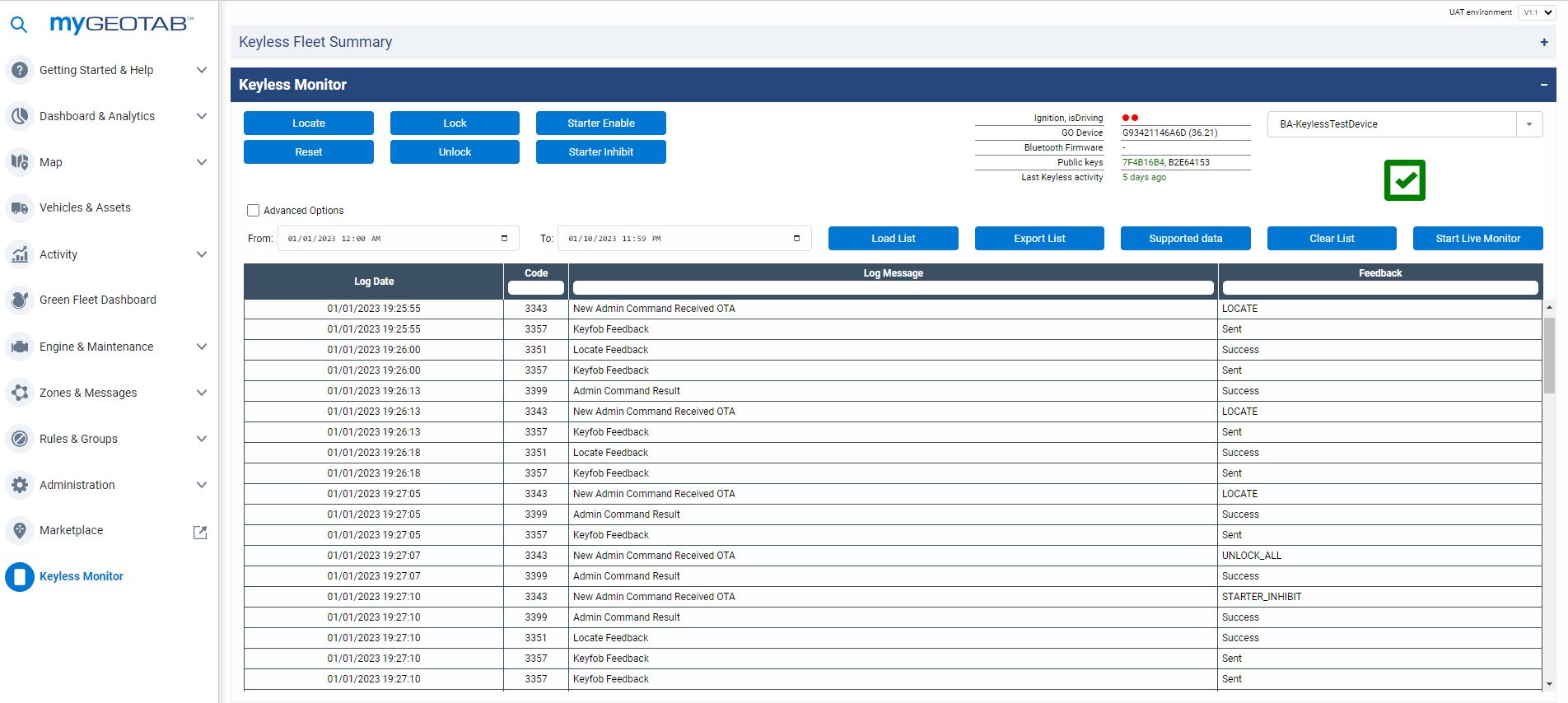
Keyless Monitor
Keyless Monitor, a MyGeotab Add-In, functions as the command and control center for Geotab’s Keyless Shared Mobility solution. It empowers the fleet team to easily verify Keyless vehicle readiness, and send remote commands (unlock and lock, among others) to any Keyless enabled vehicle. Features And Benefits Keyless readiness checks: Verify that fleet vehicles are configured and ready for successful Keyless operations. Support in field drivers by sending lock and unlock commands and more. View near real-time and historical Keyless vehicles access activity across the entire Keyless-equipped fleet. Works with Geotab’s Keyless Solution (both device options of IOX Keyless or IOX Keybox).
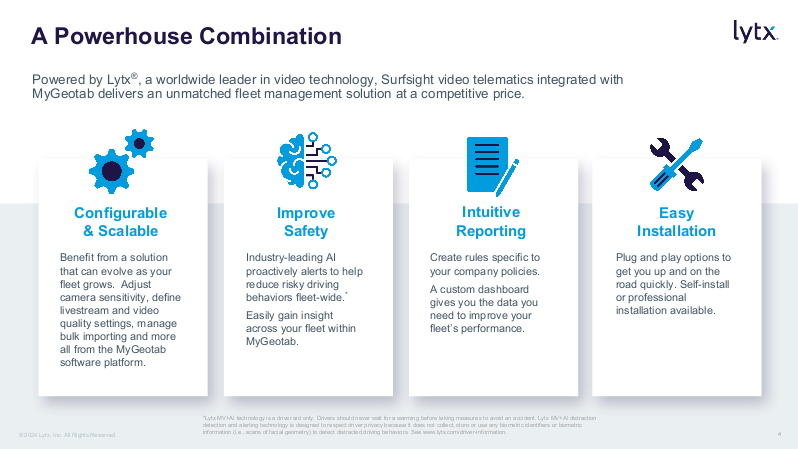
Lytx Surfsight AI-12 Dash Cam
The camera that captures the driver and the driver's behavior in real-time. Powered by AI and Machine Vision, Surfsight automatically detects and alerts distracted driver behavior and harsh driving incidents in real-time, addressing the leading causes of preventable accidents. Equipped with high-definition road-facing and cabin-facing cameras, Surfsight captures the drive, simultaneously providing fleets with on-demand video view and video evidence retrievals on the Geotab dashboard. Note: Surfsight is available on the Geotab Order Now program in North America. A tamper-proof case is included with every hardware purchase through the program. Please contact your Geotab Reseller to learn more. (If you are outside of North America, please work with your local Reseller who will contact Surfsight on your behalf). Features And Benefits Features: High definition road-facing and cabin-facing cameras IR for clear night vision in cabin Built-in sensors and cameras powered by AI and Machine Vision Built-in speaker and display for audio and visual coaching On-demand video retrievals and live view from Geotab cloud Turn any Geotab rule into a video event Streamline video simultaneously from the road and driver View up to 60 minutes of live video per month per device through the Order Now program Benefits: Improve safety with real-time alerts from harsh driving incidents Reduce accidents with AI detecting distracted drivers Reduce claims & insurance cost with live video evidence stored in the cloud Improve operation visibility with on-demand video footage retrieval Engaging employees in improving safety with data on driving behavior Provide instant assistance and assess damages from the field in real-time with live video Personalized drivers training based on the driver's driving style with data on each driver Integrated seamlessly with the Geotab cloud platform, displaying vehicle video at your fingertips 10-minute vehicle installation
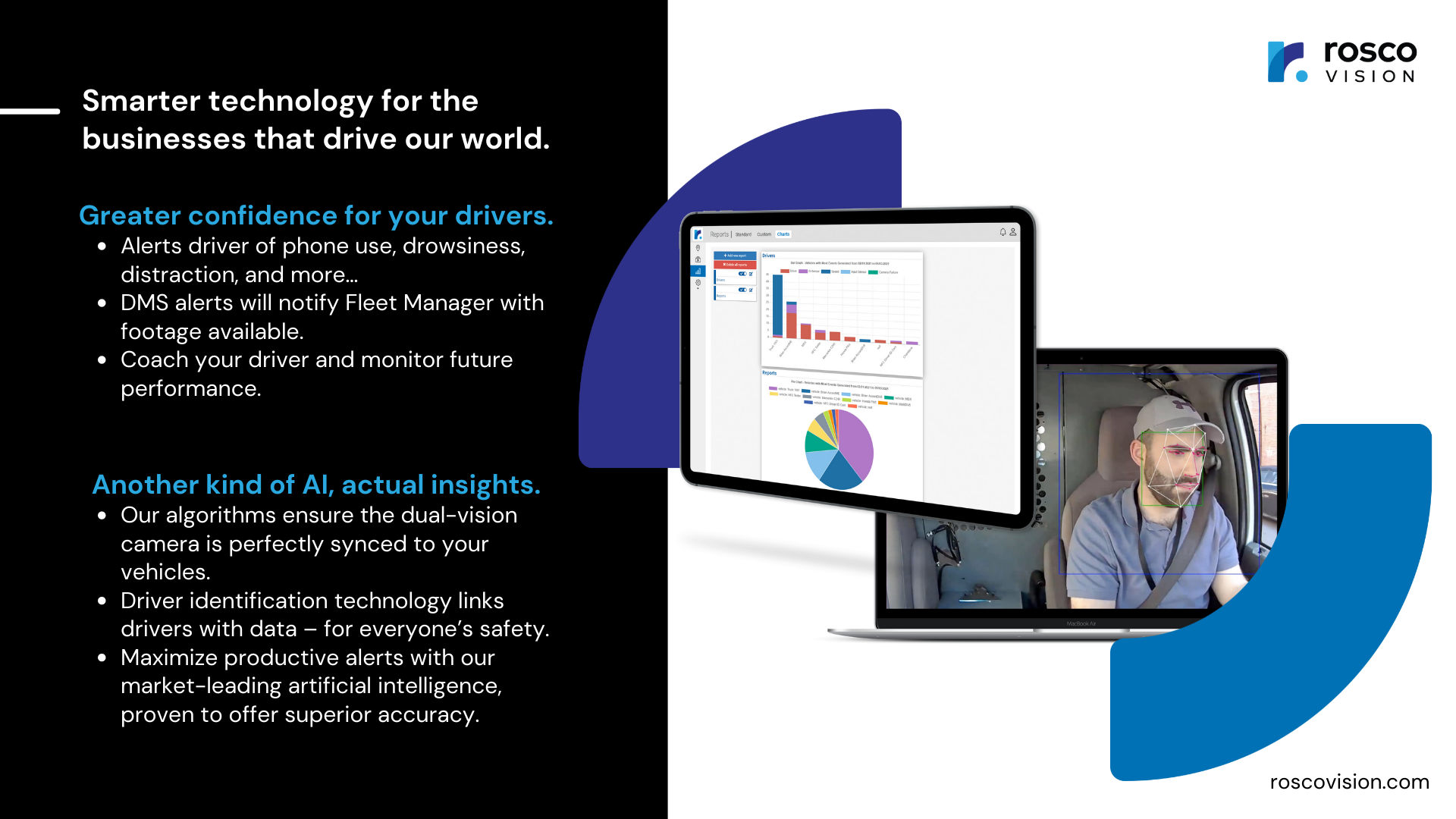
Rosco Vision DV6 AI-Powered Recording
Rosco’s AI-powered DV6 HD recorder is a dual camera continuous video and Exception recorder that seamlessly integrates with any Geotab GO Device. Rosco’s new DV6 captures and processes FHD footage of the driver and the road with local and cloud storage options. It generates in-cab alerts for drivers when risky behaviors are detected, and provides data for fleet managers to help monitor safety trends over time. GO devices function fully independent of the Rosco DV6 hardware with no physical connections. GPS data, time stamp, and G-sensor data is still generated by the GO device and still generates the Geotab Exception. When an Exception occurs, the GO device calls for a 20 second video clip from RoscoLive (Rosco Cloud Platform) > RoscoLive calls for the video clip from the DV6, which in turn sends the clip to MyGeotab. The Rosco DV6 and RoscoLive add-in allows fleet managers to view Exceptions and other requested video directly on MyGeotab. Features And Benefits Solution Overview Rosco’s AI-powered DV6 HD recorder is a dual camera continuous video and Exception recorder that seamlessly integrates with any Geotab GO Device. Rosco’s new DV6 captures and processes FHD footage of the driver and the road with local and cloud storage options. It generates in-cab alerts for drivers when risky behaviors are detected, and provides data for fleet managers to help monitor safety trends over time. The most seamless video add-in integration with the MyGeotab platform. Driver Management System (DMS) alerts available to identify drowsiness, phone use, and inattention. A great opportunity for video support of powerful Geotab driver performance and incident recording features. DV6 continuously records as long as the vehicle is in operation (parking mode is also an option for ignition off recording) enabling storage and retrieval of non-Exception videos when required. 24/7 access to video clips on RoscoLive Cloud Storage Automatic First In, First Out cloud video storage keeps newest videos safely stored Allows fleet managers to easily setup email notifications for Exceptions requiring video support in the Rules section. DV6 add-in allows fleet managers to filter videos by date, vehicle, and driver. Easy review of video clips and customized descriptions for each Exception.
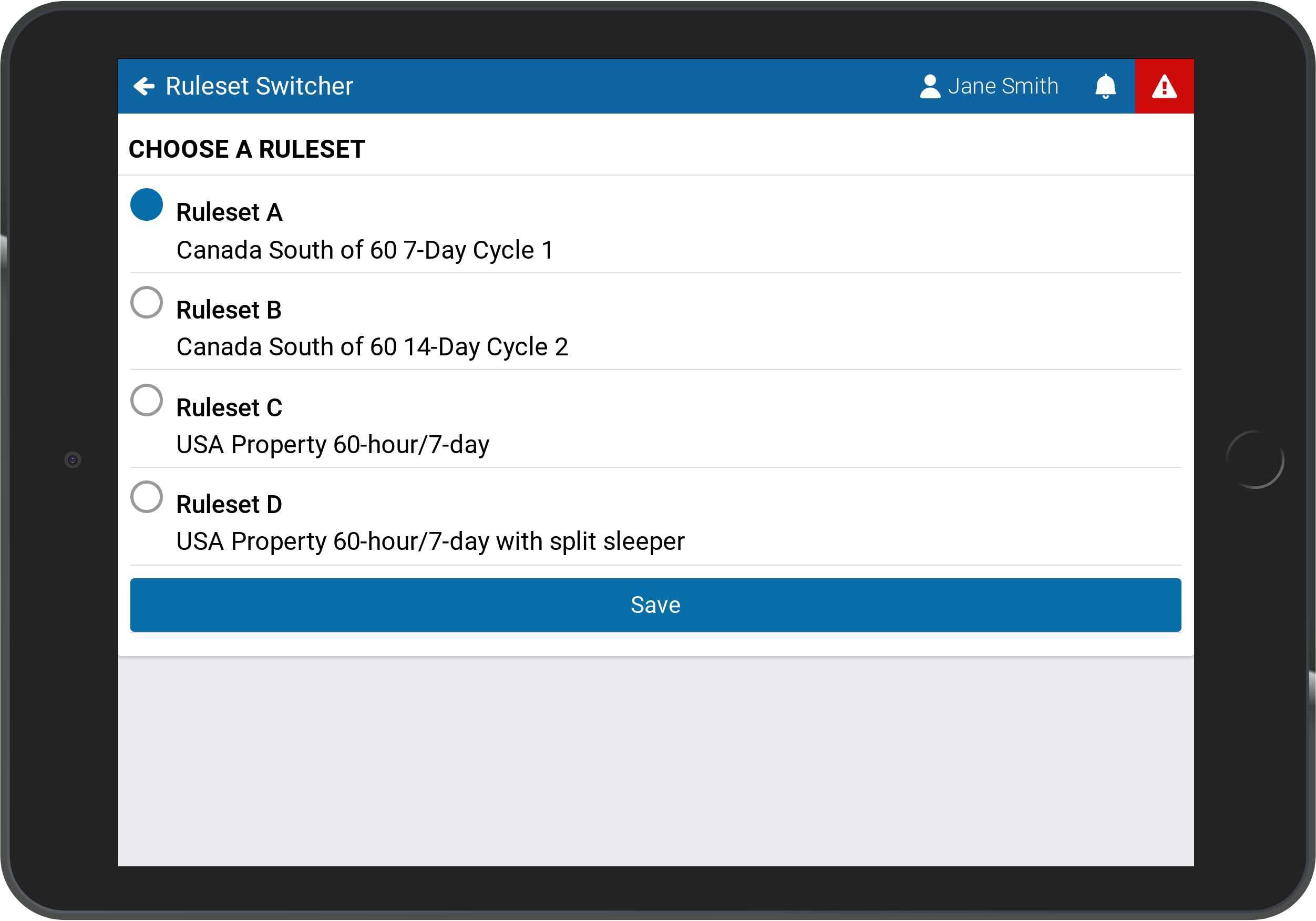
Ruleset Switcher
The Ruleset Switcher is a MyGeotab Add-In designed to allow drivers and co-drivers to switch between multiple rulesets within Geotab Drive. The changes are implemented immediately upon switching to the selected ruleset. Features And Benefits Improve HOS compliance Drivers and co-drivers can change the ruleset Switch between multiple rulesets in Geotab Drive Eliminate time spent filling out paper logs and determining the hours of service regulations of the jurisdiction Device Plan Requirements GO, Pro, ProPlus, Regulatory, Third-Party Device Plan
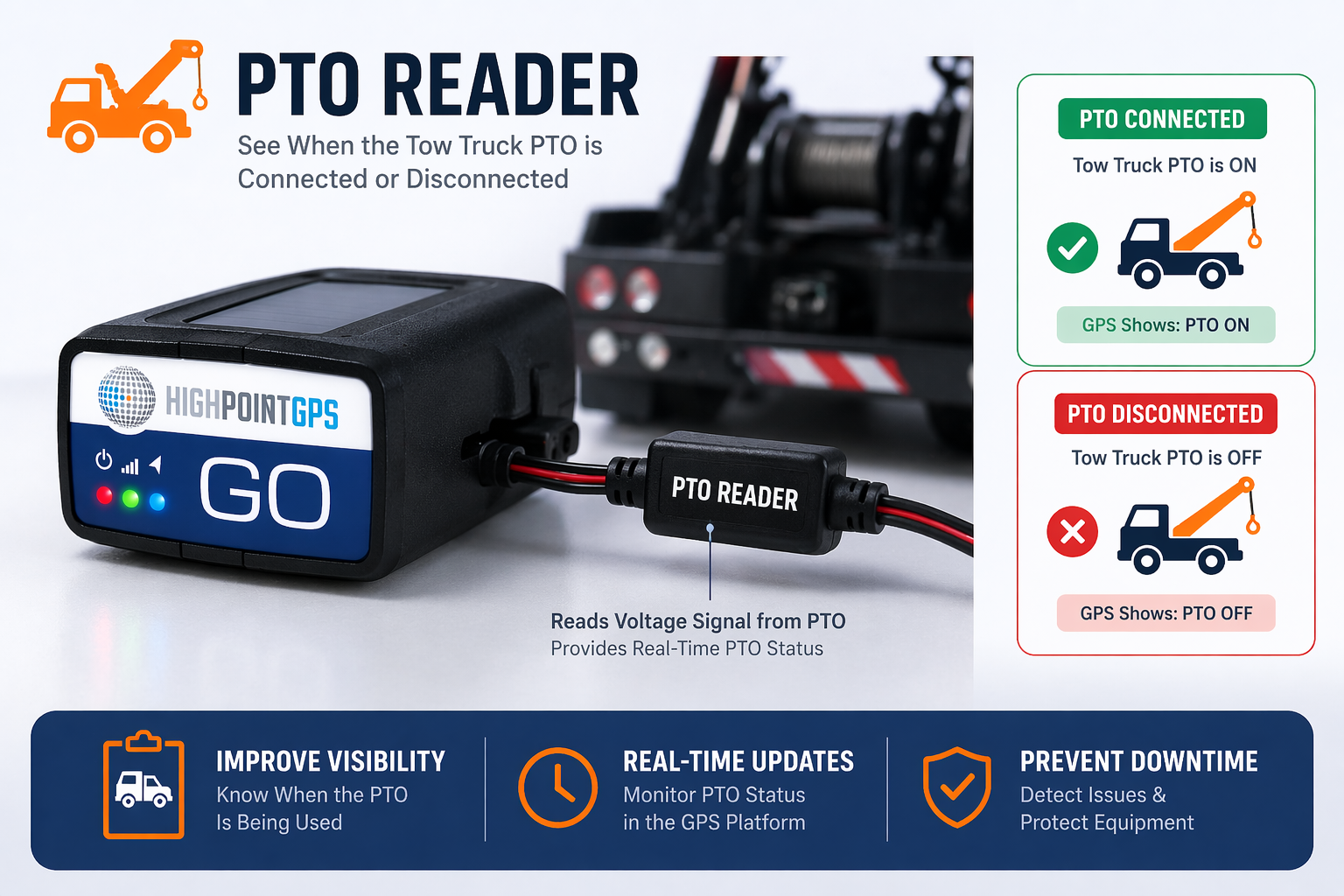
PTO on/off Reader
The PTO Reader is an add-on accessory designed to connect directly to your GPS tracking device, enabling real-time monitoring of a tow truck’s Power Take-Off (PTO) activity. It reads the electrical signal from the PTO system and instantly reflects whether the equipment is actively engaged or not. When the PTO is ON (connected), the GPS platform displays active status—indicating that the tow operation (e.g., lifting or winching) is in progress. When the PTO is OFF (disconnected), the system confirms that no towing activity is occurring. This provides fleet managers with clear operational visibility, helping to track usage, verify jobs, and improve accountability. Key Benefits: Real-time PTO status (ON/OFF) directly in GPS platform Accurate tracking of tow operations and equipment usage Improved billing validation and job verification Enhanced fleet transparency and control Simple integration with existing GPS hardware A practical solution for towing fleets seeking reliable insight into vehicle activity without manual input.