
Add-on
Advanced Trip History - Every Route With Direction Arrows, Replay and Speed Limits
MyGeotab's trip history with the direction arrows back, plus replay, hover on every GPS point and vehicles near an address
Advanced Trip History
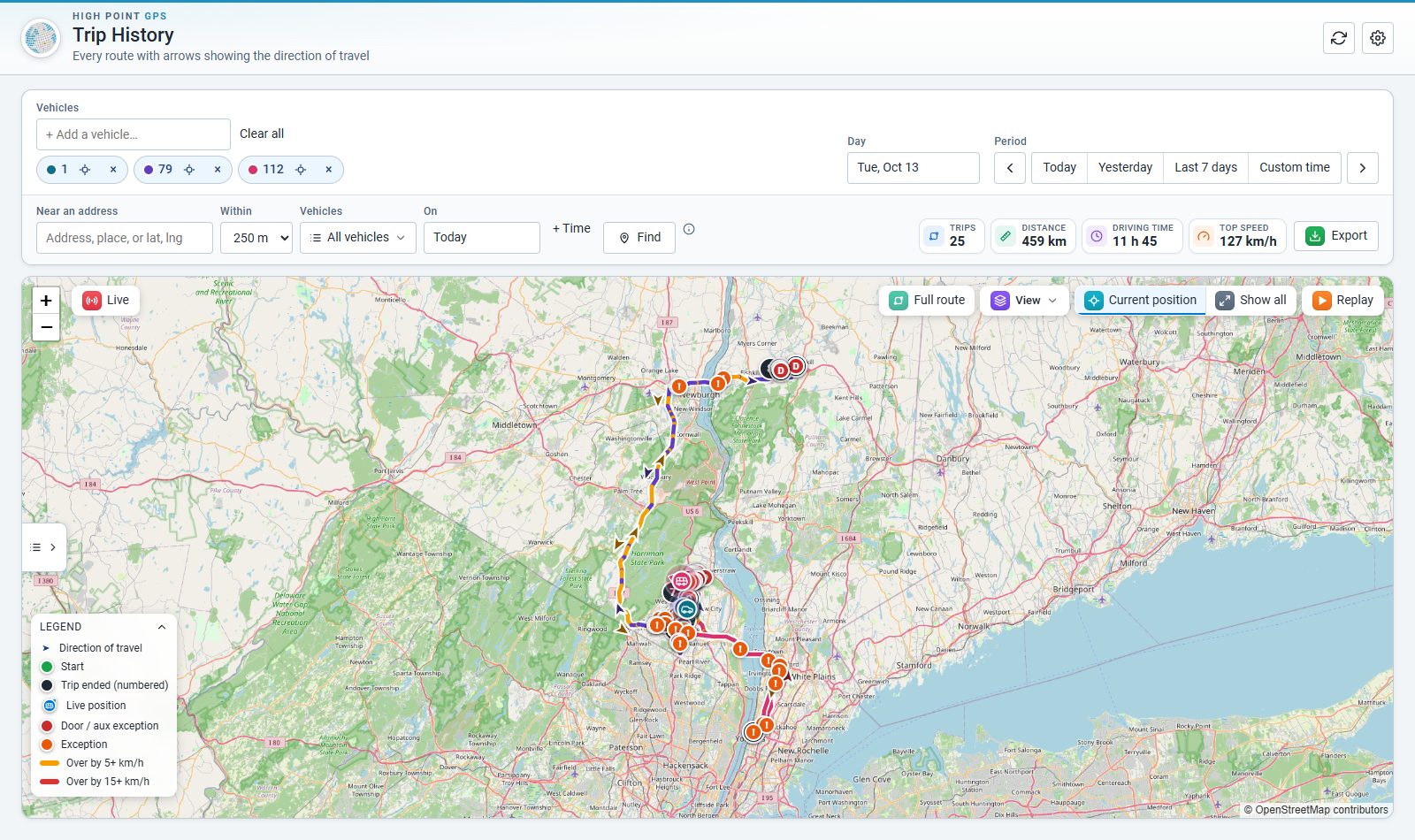
Every route with arrows showing the direction of travel, inside MyGeotab
MyGeotab's own Trips History lost its direction arrows. For a bus or delivery fleet that answers "which way was it going?" every day, that is the question that matters. Trip History brings the arrows back and adds what dispatchers kept asking for.
What it shows
- Arrows along every route – few, normal, many or on each GPS point, still or moving in the direction of travel, three sizes.
- Any day or any time window – today, yesterday, the last 7 days or a custom from/to, to dig into a specific moment.
- Up to 10 vehicles at once, each in its own colour – pick any colour per vehicle in Settings.
- Hover any GPS point – time to the second, speed, heading, driver and the groups the vehicle was in at that moment.
- Speed against the road limit – the line turns amber or red where the vehicle was over.
- Exceptions on the map – door / aux events and every rule, with the type picker in Settings.
- Near an address – which vehicles passed within a set distance of a place, and when.
- Timeline – one vehicle minute by minute (every 1–5 minutes): stops with how long they lasted, gaps, address, zone and speed on each row.
- Zone targets – a target visit time per zone, every visit graded met, under or over, summed by vehicle or driver.
- Replay at 10×, 60× or 300×, Live position, snap to roads, short stops and a CSV export.
- Fluid levels beside each vehicle – DEF (or any measurement), flagged when low.
- English and French, km or miles, following the MyGeotab user.
How it works
The page reads trips and GPS points straight from MyGeotab as the signed-in user, so people only see the vehicles and groups they can already see. It follows MyGeotab's own group filter.
Industries
Tags
Hosted from the portal repo: public/addins/trips. Custom add-in key `trips`: works only where switched on in the customer's Add-ins tab (IMS Bussing, Yellow Services, Kiryas Joel, Belz School).